Key Takeaways
- Ensure one Shopify store cannot access another store’s data, even by manipulating IDs or requests.
- Validate OAuth, session tokens, webhooks, app proxies and API requests to prevent unauthorised access as part of the Shopify app security checklist.
- Don’t rely on automated checks alone; Shopify’s AI and code scans can’t fully test live app behaviour, cross-store access or business logic vulnerabilities.
- Get an independent security assessment with Astra’s certified pentesters to test business logic flaws, provide remediation guidance and offer free rescans to verify fixes.
Most teams treat Shopify app review as a formality until it isn’t. In February 2026, Shopify’s developer team told the community that review times were longer than usual, and that resubmitting sends you to the back of the queue.
Moreover, it’s easy enough to catch a failed install on your own. What’s easier to miss is what happens once a second store is using your app. Most Shopify apps serve many stores; as Shopify’s own security policy notes, bugs that matter include cases where one store can reach another store’s data.
This checklist covers what to test before you submit, one check at a time, each with a pass/fail test. Every section ends with a Second Store Test, run from a second dev store. It’s independent, built from Shopify’s public documentation, and not an official Shopify list. Short on time? Jump to review timelines.
Why Do Shopify Apps Get Rejected on Security?
Most security-related rejections show up as functional failures: broken install, OAuth, embedding or webhook handling. Shopify’s common review problems include:
- No redirect to the OAuth grant screen after install
- A fatal error after install, or an app that won’t reinstall
- Switching between embedded and non-embedded versions
- Broken UI, or 404, 500 and 300-series errors
- Missing testing instructions or credentials
- Missing compliance webhooks and insecure webhook URLs
Separately, Shopify’s security checks flag missing mandatory GDPR compliance webhooks (MISSING_COMPLIANCE_WEBHOOKS) and non-HTTPS webhook URLs (INSECURE_WEBHOOK_URL). Security flaws such as missing authorisation or committed secrets are separate checks in Shopify’s app security checks. The sections below cover both kinds.
Pro Tip: Install, uninstall and reinstall on two development stores, then repeat with a billing upgrade and downgrade. Shopify tells you to test on a development store before submitting.
How Do You Secure OAuth and Session Authentication in a Shopify App?
Start OAuth right after install, validate every session token, and derive the shop from the authenticated session, never from request input. Some key checks include:
| Check | How to test it |
|---|---|
| OAuth starts immediately, and the grant screen appears | Install on a clean development store |
| App URL and allowed redirection URLs are HTTPS & match the configured values exactly; do not use wildcard redirect URLs | Review app config; try an altered redirect |
| OAuth state is generated per attempt and validated on callback | Replay the callback with a wrong state |
| No open redirects (OPEN_REDIRECT) | Pass an external URL in the redirect parameter |
| Session tokens are validated on every privileged request, including signature, expiry, and the intended shop/destination context | Replay an expired or altered token |
| Embedded apps use session-token authentication and should not rely on third-party cookies for authentication | Load the app with third-party cookies blocked |
| No route, job, export, GraphQL resolver or webhook handler trusts shop, customer ID or order ID from request input (REQUEST_DERIVED_SHOP_SCOPE) | Search handlers; confirm shop context comes from the session |
| Shop-domain validation is anchored and rejects lookalike or suffixed domains (WEAK_SHOP_VALIDATION) | Try store.myshopify.com.evil.com; it must not validate as a legitimate Shopify shop domain. |
Second Store Test: Authenticate as Store A, then change shop, host and resource IDs to Store B’s on every route. Every request should be denied. Shopify’s documentation says authorization and tenant-isolation issues often can’t be found by a code scan alone, so ensure you test them manually.
How Do You Set Frame-ancestors CSP for an Embedded Shopify App?
Return a Content-Security-Policy: frame-ancestors header that is generated per shop and includes the shop domain and https://admin.shopify.com. A static wildcard usually fails.
Content-Security-Policy: frame-ancestors https://{shop-domain}.myshopify.com https://admin.shopify.com;
| Check | How to test it |
|---|---|
| Every HTML route returns the header | DevTools → Network → Doc, on each route |
| The directive is built for the current shop | Confirm the installed shop domain appears |
| No wildcard (STATIC_FRAME_ANCESTORS); no missing header (MISSING_EMBEDDED_CSP) | Inspect response headers |
| Embedding config matches behavior | Embedded apps stay embedded; standalone apps aren’t configured as embedded |
| Redirects use App Bridge | Follow a redirect inside the admin |
Second Store Test: Load the app from two stores and compare headers. The shop domain should change with the store.
How Should You Handle Shopify & Compliance Webhooks?
Subscribe to the three mandatory compliance webhooks (customers/data_request, customers/redact and shop/redact), verify the HMAC on every request, and return 401 when it’s invalid.
| Check | How to test it |
|---|---|
| All three compliance topics are subscribed | Review webhook config |
| Endpoints use valid HTTPS | Confirm no plain-HTTP callbacks |
| HMAC is verified against the raw body before JSON parsing | Send an invalid HMAC; expect 401 |
| Handlers are idempotent | Replay the same delivery ID; confirm no duplicate processing |
| data_request returns the data; the redact topics delete or anonymize it | Trigger each with Shopify CLI; inspect the database, backups, exports, queues and downstream services |
| Requests finish within 30 days unless law requires retention | Time a full redaction |
Second store test: trigger customers/redact for Store A and confirm Store B’s data is untouched.
What Data Protections will Shopify Expect from Your App?
Least-privilege scopes, a protected customer data request if you use customer data, and personal data that is minimized, encrypted and deleted on schedule. For the level rules, see our Shopify App Store requirements guide.
| Check | How to test it |
|---|---|
| Every scope maps to a shipped feature and a real API call (SCOPE_OVER_REQUEST) | Build a matrix: scope → API call → feature → justification |
| Unused and template-inherited scopes are removed; write scopes only where read won’t do | Search the codebase for each scope’s calls |
| Sensitive scopes like read_all_orders are justified; optional scopes are used where possible | Deny optional scopes and run the app |
| Protected customer data access is requested in the Partner Dashboard | Confirm the request matches the fields you use |
| Personal data is encrypted in transit and at rest, access-limited, logged and retained for a defined period | Inspect the database, access controls and retention jobs |
| No production customer data in dev or staging | Check staging data sources |
| Deletion works | Seed a development store, trigger redaction, verify |
Second Store Test: Use Store A’s access token against Store B’s resources. It should fail, and your scope list should show what a stolen token could do.
How Does the OWASP Top 10 Apply to Shopify App Security?
Each OWASP risk has a Shopify form, and most of them end up as cross-store problems. Shopify’s check IDs are in the third column.
| OWASP risk | Shopify version | Shopify check IDs | How to test it |
|---|---|---|---|
| Broken access control | Cross-shop IDOR: altered shop, customer, order or GraphQL IDs | MISSING_AUTHORIZATION_CHECK, MISSING_TENANT_ISOLATION | Request Store B’s resources as Store A |
| Cryptographic failures | Secrets in Git, bundles, source maps or logs | COMMITTED_SECRET, CREDENTIAL_LOG_LEAKAGE, CREDENTIAL_BROWSER_LEAKAGE | Scan Git history, built JS and logs |
| Injection | SQL injection, XSS, unsafe HTML, Liquid injection, XSS in theme app extensions | SQL_INJECTION, CROSS_SITE_SCRIPTING, UNSAFE_INNERHTML, APP_PROXY_LIQUID_INJECTION, THEME_EXTENSION_XSS | Fuzz titles, metafields, settings, search and app-proxy inputs; store a script payload in a setting and load the storefront |
| Insecure design | Unsigned app-proxy requests | APP_PROXY_UNVERIFIED_SIGNATURE | Send an unsigned proxy request |
| Security misconfiguration | Wildcard or missing CSP, open admin panels, permissive CORS | STATIC_FRAME_ANCESTORS, MISSING_EMBEDDED_CSP | Inspect headers, CORS and staging access |
| Vulnerable components | A reachable vulnerable dependency | DEPENDENCY_REACHABILITY | Run SCA; confirm the function is reachable |
| Authentication failures | Weak OAuth, replayable sessions or webhooks | SESSION_LIFECYCLE_AND_REPLAY, UNAUTHENTICATED_ENDPOINT | Replay tokens and webhooks |
| Integrity failures | Request-controlled ScriptTag URL, unsafe uploads | SCRIPT_TAG_URL_INJECTION | Try injecting a script URL or malicious upload |
| Logging failures | Credentials in logs, no access trail | CREDENTIAL_LOG_LEAKAGE | Send malformed requests; inspect logs |
| SSRF | App proxy, importer, URL preview or image fetch that requests attacker-controlled URLs | SSRF_REQUEST_FORGERY | Test localhost, private IPs, cloud metadata and redirect chains |
3 Shopify-specific scenarios require their own tests specifically:
- Cross-shop IDOR: A query takes
shopfrom request input instead of the session. Change it and see whose data comes back. - App-proxy SSRF: An endpoint fetches an attacker-supplied URL. Point it at an internal address.
- XSS in theme app extensions: User-controlled text or metafield output renders as unsafe HTML on the storefront (
THEME_EXTENSION_XSS). Store a script payload in a setting and load the storefront.
Second Store Test: Take a resource ID from Store B and request it as Store A through every surface: REST, GraphQL, app proxy and exports.
What Operational Security Should Be in Place Before You Submit?
Keep secrets out of code, keep environments separate, and have a plan for the day a token leaks. Shopify scans your app for open ports with Nmap during review, so unnecessary public services are a review issue as well as a security one.
| Check | How to test it |
|---|---|
| Secrets live in a secrets manager and rotate without a full redeploy | Search Git history, built JS and source maps; time a rotation |
| Production, staging and development are isolated, with no shared OAuth clients or keys | Confirm staging can’t reach production data |
| Databases, queues, admin panels and internal services aren’t public | Run an external port scan |
| MFA is enforced on source control, cloud consoles, package registries and admin tools | Check each account’s settings |
| Dependencies are minimal, pinned and monitored | Review alerts; confirm whether flagged code is reachable |
| A public security contact and disclosure page exist | Confirm the page is live |
| An incident-response plan covers containment, credential revocation, evidence, Shopify notification and customer impact | Run a leaked-token tabletop |
Shopify’s CTP program requires many of these for Plus apps. See how the tiers compare.
Second Store Test: In your leaked-token tabletop, count how many stores one token exposes and how long revocation takes.
What Does Shopify’s AI Self-Review Catch, and What Can’t It?
Simply put, it’s a good first filter and a bad finish line. The self-review reads your local code, so it can judge what’s visible there and nothing else. Shopify’s pre-review tooling excludes anything that depends on listing content, live app behaviour, or merchant-facing UX, much of what makes an app work.
Shopify’s developer team also recommends its Dev MCP for catching common issues before the review team flags them, and it’s worth using.
Shopify’s ‘shopify app security check’ combines two things:
- Deterministic scans: fixed checks with exact answers, like whether an API version is end-of-life.
- Agent review: deeper checks, such as whether a database query is scoped to one shop.
What neither can do, in our view, is attack your running app. They won’t run multi-store authorization attacks, abuse your business logic, test SSRF against live infrastructure, or confirm that deletion actually happened in every system holding the data.
Here’s how we’d layer it:
- Automated checks: Shopify’s tooling, dependency scanning, secret scanning and CI security tests.
- AI self-review: a fast gate for requirements judged from code.
- Manual pentest: a human attacking tenant isolation, OAuth edge cases, business logic, SSRF and webhooks.
A pentest isn’t a necessity for most apps per guidelines, with CTP as the only primary exception, but no tool reading your code can play Store B against your running app, as a human tester can.
Second Store Test: Run the first two layers, then pick the three highest-risk cross-store checks above and test them against the live app. If one store can reach another, you’ve found your first fix. If none can, you have evidence worth keeping.
How Long Does Shopify App Review Take, and How Do You Avoid Resubmission Loops?
Shopify’s documentation doesn’t give a fixed review time & in our opinion, be wary of any advisory or article that does. In February 2026, its developer team reported reviews were taking longer than usual, with waits extending up to a month or more (even when submission emails continued to religiously promise up to 14 business days).
Check Shopify’s current announcements before planning a launch (as of October 2026).
Your app moves through Draft, Submitted, Reviewed and Published, and Shopify assigns a reviewer once core requirements are met. You can withdraw at any point, but most of the control you have actually exists before you press submit.
Three rules which help you avoid resubmission loops:
- Don’t resubmit while you wait. It is very tempting, but per Shopify experts, doing so moves you to the back of the queue.
- Don’t fail repeatedly. Apps that repeatedly fail review may face a temporary suspension, so a rushed second attempt often costs more delay than it was meant to save.
- Fix the avoidable failures first. As dull as they may be, per Shopify’s
common-problems list, these are the highest risk:- No OAuth redirect after install, or a fatal error after install
- An app that doesn’t reinstall
- Embedded and non-embedded switching
- Broken UI, or 404, 500 and 300-series errors
- Missing testing instructions or credentials
- Billing that doesn’t use Shopify’s required system
Therefore, run this gate before every submission:
- Run Shopify’s automated checks and AI self-review.
- Run Shopify app security check.
- Test install, OAuth, reinstall, billing, UI, webhooks and uninstall on a development store.
- Prepare a reviewer pack: test credentials, a demo store, a short screencast, a feature walkthrough and scope justifications.
- Fix every requirement-level failure before resubmitting.
Second Store Test: Run the full gate on two development stores before you submit.
How can Astra help with Shopify App Security?
You can run most of this checklist yourself; the part that’s hard to do alone is having someone else attack your app.
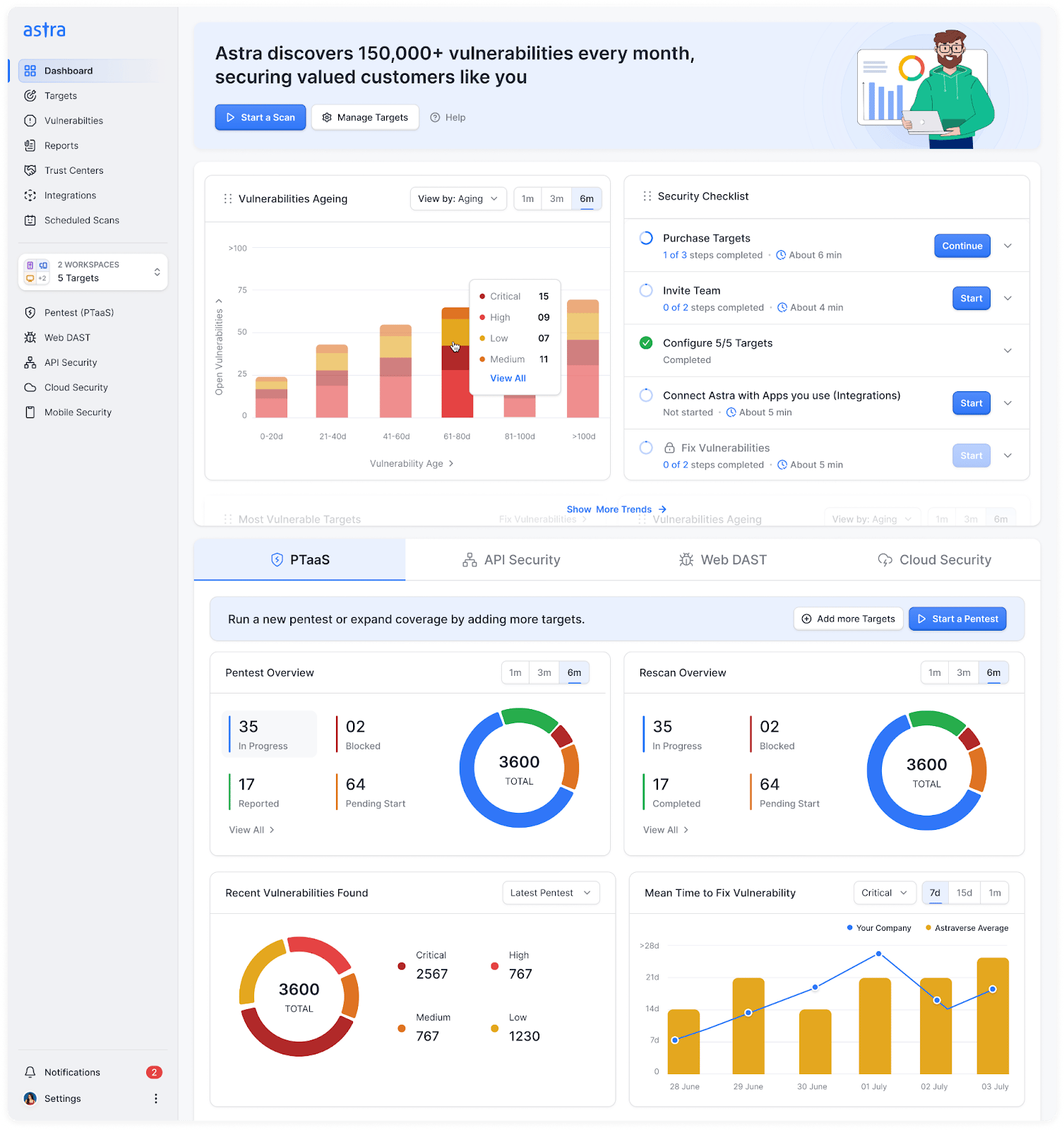
That’s where Astra comes in. Think of it as an independent security test before submission:
- Share your testing scope, including OAuth flows, webhooks, app proxies, and REST and GraphQL APIs.
- Make sure cross-store access is explicitly included in the testing requirements.
Astra’s certified penetration testers assess your live app for security vulnerabilities, including business logic flaws that automated scans may miss.
You receive a detailed report with identified vulnerabilities and remediation guidance. Once you’ve addressed the findings, free rescans help verify the fixes alongside a publicly verifiable security certificate on our proprietary Trust Center.
Want an independent test before Shopify’s review team does it? Talk to a Security Expert →
Final Thoughts
Good Shopify app security means you can say two things before you submit: one store can’t reach another’s data, and you have the evidence. Run each check from a second development store, keep what you find, and submit once.
FAQs
How long does Shopify app review take?
Shopify’s documentation doesn’t give a fixed time. In February 2026, its developer team said reviews were taking longer than usual, and developers in that thread reported waits of a month or more. Check Shopify’s community announcements for the current picture before you plan a launch.
What happens if my app fails Shopify review?
You fix the issues and resubmit. Shopify has said resubmitting while you wait moves you to the back of the queue, and developers in the same thread say fixes after a failed review do too. Repeated failures can also lead to a temporary suspension.
Does Shopify require a pentest before app review?
No. Only the Certified Technology Partner program names an annual independent pentest. Shopify’s own checks read your code rather than attack your running app, so an independent test, in our view, covers what they can’t. Our Shopify App Store requirements guide explains which program applies.
Can you test Shopify app security before submitting?
Yes. Shopify recommends testing on a development store before you submit, and its developer team points to Dev MCP for catching common issues early. Repeat each check from a second development store to see whether one store can reach another’s data, and keep the results.
What are Shopify’s mandatory compliance webhooks?
Apps must subscribe to customers/data_request, customers/redact and shop/redact. Handlers verify the HMAC signature and return 401 when it’s invalid. Test each one end to end, so you know data is actually returned or deleted, not just acknowledged with a 200.
Want an independent test before you submit?
A checklist covers what you know to test. A pentest goes after what you didn’t think of, including crossing from one store to another. Astra’s manual pentests (PTaaS) are run by certified pentesters who look for business logic flaws. You get a report, free rescans, and a publicly verifiable certificate after remediation.