
Key Takeaways
- Vulnerability scanning automatically discovers assets, detects known flaws, scores severity, and generates prioritized reports for remediation.
- Shadow IT and forgotten systems surface during scans, revealing an attack surface that’s usually much larger than organizations realize.
- Scanning closes the 55-day gap between vulnerability disclosure and exploitation, which is where most preventable breaches happen.
- Continuous rescanning verifies patches actually work, preventing the embarrassment of a “fix” that created new problems.
Cyberattacks today are more opportunistic than sophisticated. Unlike the Hollywood hacker who is eternally hunched over five monitors in a warehouse, fingers flying across keyboards in some elaborate heist. The reality is far more mundane: an automated scanner pings millions of IP addresses, finds your outdated software or misconfigured server, and moves in before you even know it exists.
These aren’t exotic attacks. In 2025, Verizon’s Data Breach Investigations Report noted that exploitation of vulnerabilities as an initial access method for breaches grew at 34% yoy, accounting for 20% of all intrusions.
Vulnerability scanning flips this dynamic. Instead of waiting for attackers to find your weaknesses, you find them first: systematically, automatically, and on your schedule. This guide explains what vulnerability scanning is, how it works, and why it matters, without a jargon-heavy approach.
What is a Vulnerability Scan?
A vulnerability scan is an automated inspection of your systems, from web apps and APIs to cloud infrastructure, that detects known security weaknesses and attack chains before attackers or bots exploit them. Common examples include SQL injection, XSS, prompt injection, and misconfigurations.
Every application carries technical debt in the form of flaws. When researchers or security teams discover vulnerabilities in widely-deployed software, they’re cataloged in the CVE database, maintained by MITRE and the U.S. National Vulnerability Database.
Each entry documents the flaw’s nature, affected versions, and a CVSS severity score.
Your scanner cross-references your systems against this list. When something matches, you get a detailed report including what the flaw is, where it lives in your environment, how serious it is, and what to do about it.

What is Vulnerability Scanning in Cyber Security?
Vulnerability scanning is a foundational practice within vulnerability management, better understood as the systematic discipline of discovering, prioritizing, and remediating security weaknesses before exploitation occurs.
A vulnerability can be anything from unpatched software and servers with open ports that shouldn’t be there to web applications that accept dangerous inputs or admin accounts still using factory-default passwords three years later. It doesn’t take a genius to exploit these; even an automated script and a bit of time suffice.
Some of the top security vulnerabilities a well-run vulnerability scan can detect include:
- Unpatched software and legacy CVEs: Outdated web servers, databases, or libraries that ransomware groups love to target first
- Cloud & container misconfigurations: Overprivileged IAM roles, exposed buckets, or insecure Kubernetes settings enabling lateral movement
- Shadow & zombie APIs: Undocumented or abandoned endpoints outside your security controls and a leading cause of breaches
- Injection vulnerabilities: SQL injection, XSS, and prompt injection in web apps and AI models that exploit poor input handling
However, of the vulnerabilities found, more than 32% still remained unpatched for more than 180 days in 2025. And that’s just the ones people found; the vulnerabilities nobody scanned for?
Well…that’s a different problem entirely.
Such scanning operates as a critical component within the broader security architecture:
| Practice | Function |
|---|---|
| Vulnerability Scanning | Automated discovery of known weaknesses at scale |
| Penetration Testing | Adversarial simulation using manual, human-directed methods |
| Security Auditing | Assessment of policy compliance and configuration posture |
| Threat Intelligence | Tracking of threat actor behavior and emerging attack vectors |
How Does Vulnerability Scanning Work?
A scanner probes your systems through various types of vulnerability scanning and compares what it finds against vulnerability databases, producing a scored, prioritized report of what needs to be fixed and in what order.
Step 1: Asset Discovery
First and foremost, the scanner maps everything it can reach, including servers, devices, applications, and cloud services. This step regularly surprises organizations since Shadow IT (systems deployed outside of formal IT oversight), forgotten development environments, cloud services spun up and never decommissioned, these all appear here.

Step 2: Vulnerability Detection
Each discovered asset gets examined for known flaws, including but not limited to software versions, configurations, open ports, exposed services, and other indicators against its vulnerability database. If your web server is running a version with a known flaw documented three years ago, it gets flagged.
Step 3: Severity Scoring
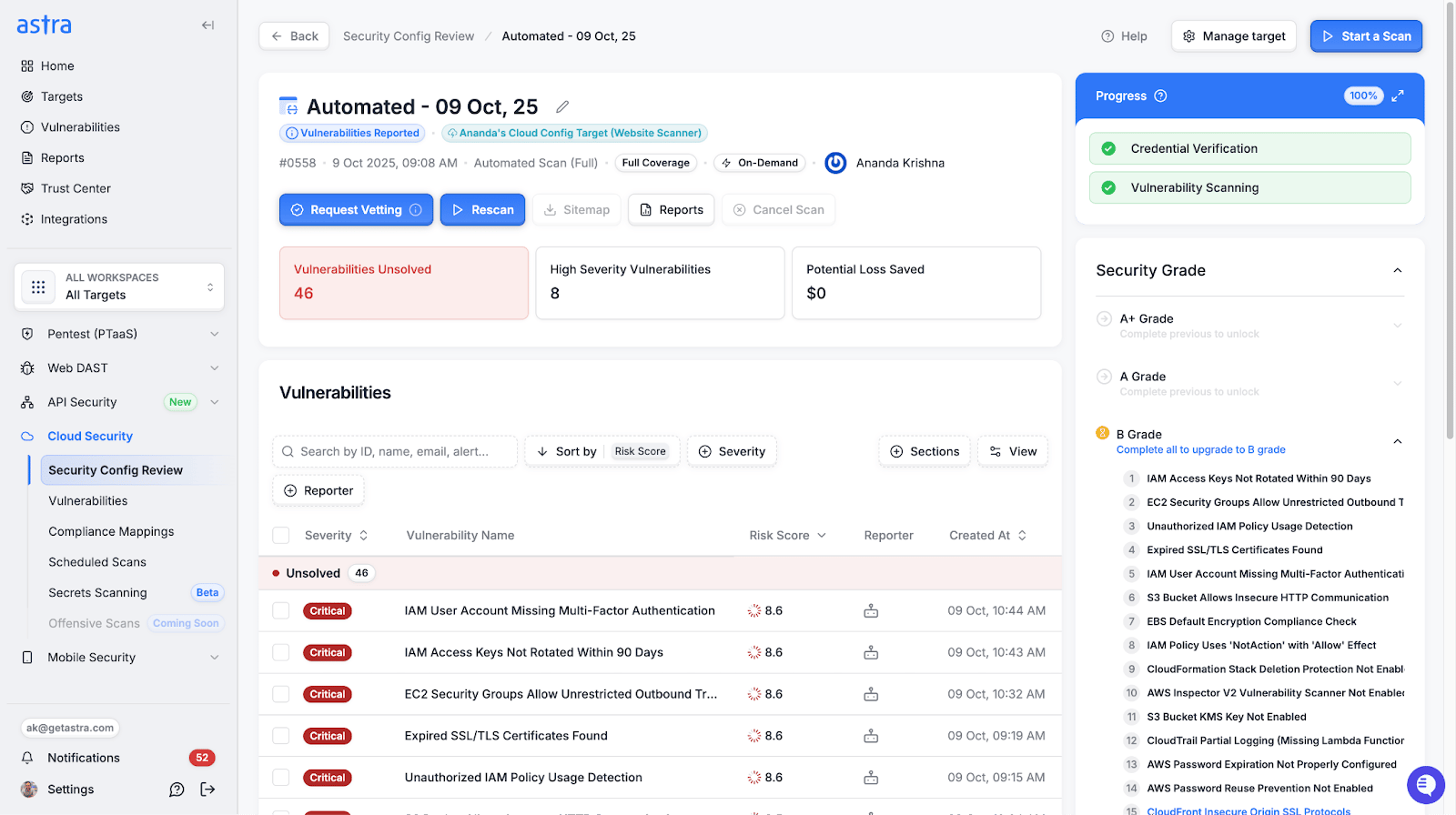
Not every finding carries equal weight. Scanners score results using the CVSS (Common Vulnerability Scoring System) framework, which ranges from 0 to 10.
A score above 9.0 is “critical.” A 4.0 on an internal server nobody can reach from outside the building is a very different conversation than a 4.0 on a customer-facing payment page.
CVSS score ranges:
- 9.0 – 10.0 Critical
- 7.0 – 8.9 High
- 4.0 – 6.9 Medium
- 0.1 – 3.9 Low
External vs. Internal Scanning
External scans look at your systems from outside your network, i.e., the attacker’s perspective. What can someone on the internet see and reach?
Internal scans run from inside your network. These find misconfigurations and vulnerabilities that aren’t visible externally but would be devastating if an attacker gained a foothold.
Mature security programs run both. Running only external scans is like inspecting only the front door of a building while leaving interior doors unexamined.
Step 4: Report Generation
The output is a prioritized list: what was found, which systems are affected, severity ratings, and remediation steps. Good scanners contextualize findings in reports because the same CVE on a payment system requires a different action than on an isolated test server.
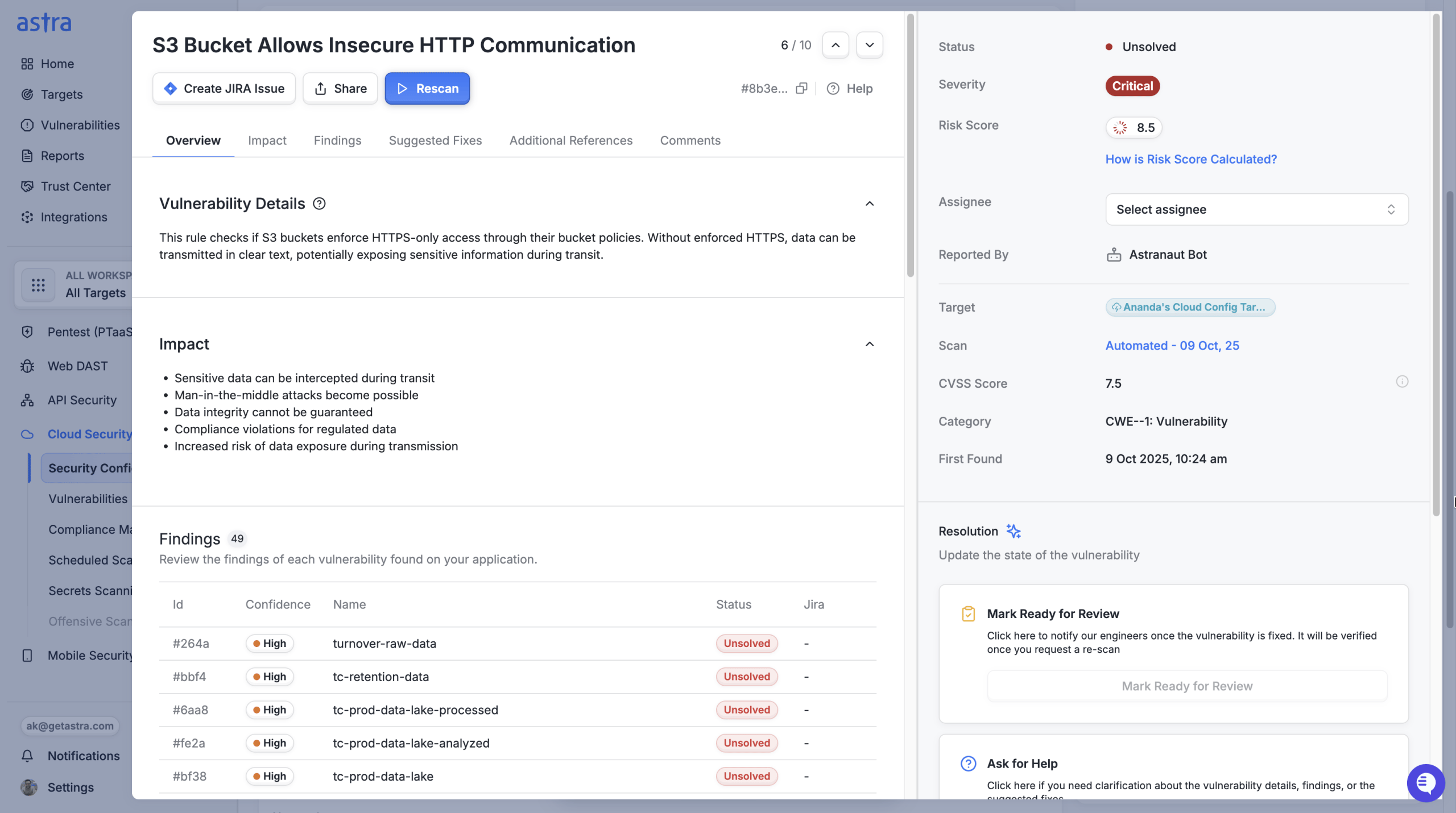
The report makes this distinction clear, so your team allocates effort where it actually matters.
Step 5: Targeted Rescanning
Targeted rescans allow you to test specific patches post-remediation without running a full system scan, i.e., instead of checking everything, you focus on the vulnerability that was just fixed.
Did the patch work? Did it create a new vulnerability in the process? Targeted rescans answer these questions quickly and efficiently, without the overhead of a complete scan.
What’s the Purpose of a Vulnerability Scanner?
The core purpose is to close the gap between when a vulnerability becomes publicly known and when it gets fixed in your environment. That gap is currently where most preventable breaches are happening.
The median time to exploit a new vulnerability is now under 5 days. The average time to remediate a critical one exceeds 60 days. That 55-day window is where most breaches happen.
A scanner does not close that gap by itself, but it is a crucial bridge to creating the possibility for closing the gap operationally, because your team cannot prioritize what they cannot see.
Here is what regular scanning delivers in practice:
Visibility into your actual attack surface. Your environment is far from static, meaning that with each of the below, new flaws get published:
- Teams spin up cloud services
- Developers install software
- Vendors update integrations
A scanner running continuously surfaces changes and their associated risks as they happen, not after someone files a ticket.
A prioritized vulnerability remediation queue, not just a flood of problems. One reason vulnerability backlogs grow is the absence of clear prioritization. When everything looks urgent, teams thrash. Severity scoring and business context together tell your team: fix this one today, this one this sprint, this one in the next maintenance window.
Compliance documentation with teeth. SOC 2, PCI DSS, HIPAA, FedRAMP, and ISO 27001 all require demonstrable vulnerability scanning controls. Scan reports that become an audit’s proof of compliance. Skipping scans creates not just a security risk but also a compliance risk with dollar amounts attached.
A shorter breach detection window. According to the Verizon 2025 DBIR, only 54% of vulnerable devices were fully remediated within the year, with a median patch time of 32 days. Continuous scanning compresses the window between when a flaw exists and when your team knows about it.
How Astra Security Augments Vulnerability Scanning?
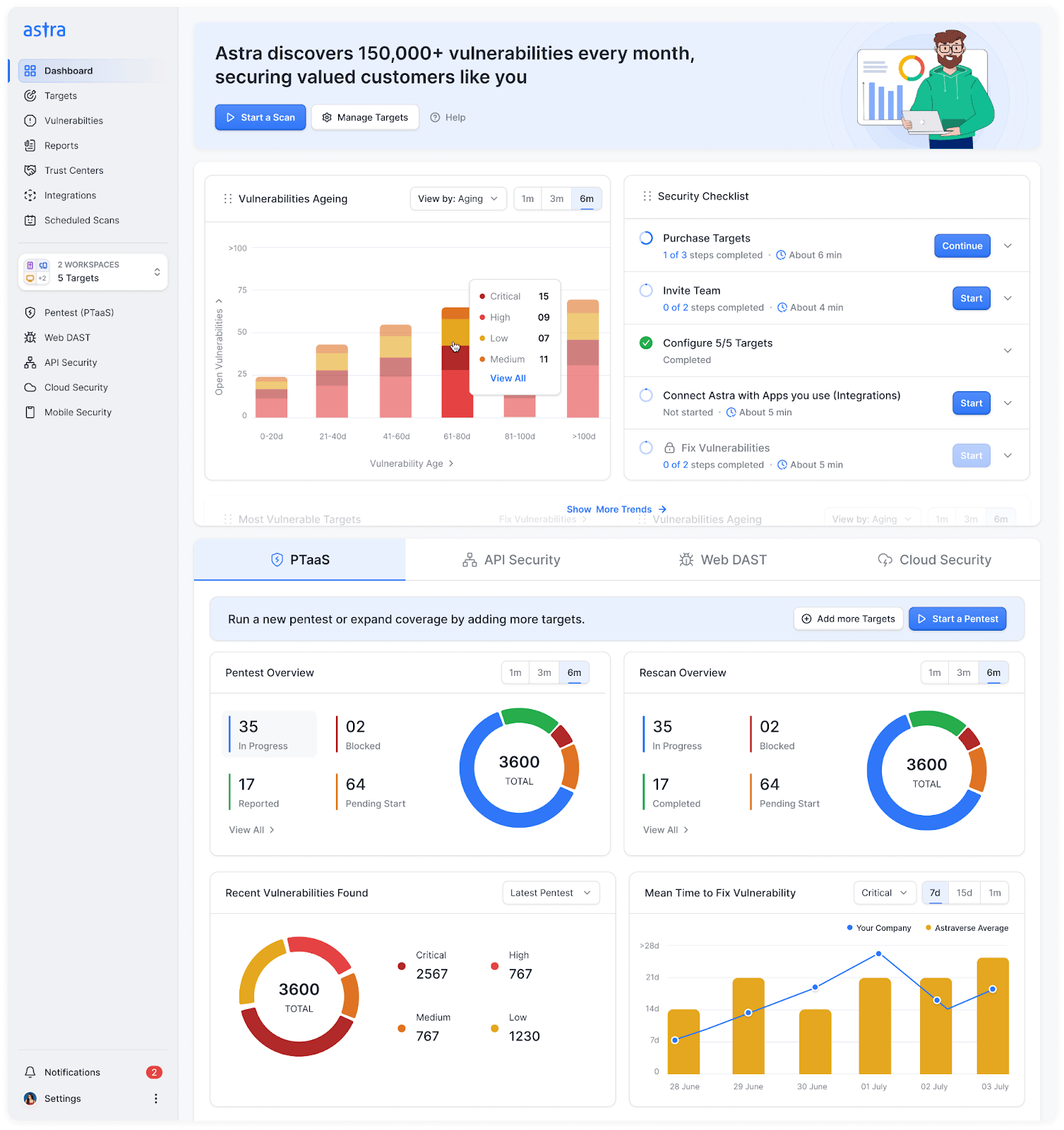
Astra Security combines its Offensive Attack-AI engine with human expert review to deliver continuous security validation built for modern infrastructure with automated, autonomous, and manual pentesting.
Key Features:
- Offensive scans with tests going well beyond OWASP Top 10, via human experts + AI to simulate multi-step exploits behind login.
- Headless browser-based crawling to accurately map JS-heavy SPAs and auto-discover shadow, zombie, and undocumented APIs from runtime traffic.
- CI/CD pipeline integration with GitHub, GitLab, Jenkins, CircleCI, Azure DevOps, and more, triggering scans automatically on every deployment.
- Cloud and container awareness with integrated misconfig scanning for AWS, GCP, Azure, and Kubernetes environments.
Beyond the scan itself, Astra Security pairs automation with expert review to eliminate false positives. Developers receive prioritized, noise-free remediation steps backed by reproducible PoCs delivered directly in Jira, Slack, or GitHub. Compliance mapping for SOC 2, HIPAA, GDPR, PCI-DSS, and more runs simultaneously.
Final Thoughts
Look, opportunistic attackers don’t need to be smart. They just need to find an opening. A scanner running continuously takes that opening away by catching vulnerabilities before attackers even know they exist.
That said, scanning currently as is won’t catch everything, including logic-based vulnerabilities like privilege escalations (penetration testing still matters!) But what scanning does is give you a starting point that isn’t just based on unadulterated hope, but grounded in knowledge of what’s broken, what matters, and what to fix first.
That’s actually worth everything, because most teams are flying blind right now, patching whatever feels urgent and hoping they got the important stuff. A scanner tells you: this is urgent, this isn’t, this was already handled. It’s not perfect. But it beats guessing.
FAQs:
Which tool is used for vulnerability scanning?
The vulnerability scanning tool you choose depends on what you are scanning. For networks, Nessus, Qualys, and OpenVAS are industry standards. For web applications, Burp Suite, Astra Security, OWASP ZAP, and Nikto work well, and cloud environments often use Wiz, Orca, or AWS Inspector. Many security teams combine multiple tools for complete coverage across their infrastructure.
What is the main goal of a vulnerability scanner?
The main goal is to identify security threats before attackers exploit them. Scanners probe applications, networks, or code to find vulnerabilities like misconfigs, outdated software, or logic flaws. This gives security teams actionable data to prioritize and fix issues that could lead to breaches.
What are the steps in vulnerability scanning?
First, define your scope and choose your tool. Second, configure and run the scan, which includes setting targets, scan type, and credentials for deeper visibility. Third, analyze the results, focusing on high-severity vulnerabilities using CVSS scores and exploit intelligence. Finally, remediate the critical issues and re-scan to verify that the fixes worked. This workflow is then repeated continuously.