Your presence here, reading this, insinuates that something is nagging at you. Maybe it’s the Ivanti headline you saw last week or the fact that half your engineering team works from cafés, co-working spaces, and home offices you’ve never set foot in. Maybe it’s the audit coming up and that one checklist item about remote access controls you’ve been putting off.
No, you’re not being paranoid. We have numbers that justify your burgeoning anxiety.
According to Verizon’s 2025 DBIR, exploitation of VPNs and edge devices jumped almost 8x in a single year, from 3% to 22% (vulnerability-driven breaches). In fact, IBM’s 2024 Cost of a Data Breach Report calculated that remote work breaches cost an average of $173,074 more per incident. This is why remote penetration testing exists…to help you sleep a little better by finding the cracks before someone else does.
This guide walks you through what remote pentesting covers, how it differs from the annual network pentest you’re probably already doing, what attack paths it uncovers, and, most importantly, how to decide whether you need one, what to ask a vendor, and how to prepare. So shall we?
What is Remote Pentesting in a Remote Work Security Context?
At its simplest, remote pentesting means hiring someone to attack your remote systems that hybrid employees use every day, so they tell you exactly how they got in and make sure no one else does.
Such an “attack surface” includes your:
- VPN
- Single sign-on (SSO) portal
- Cloud accounts
- SaaS apps
- Laptops your team takes home
- Authentication rules that decide who gets to access what.
Traditional pentests just plug into your office network and test from inside, your LAN, so to speak. Remote pentesting, on the other hand, is a much larger and longer-hand test from where attackers actually sit today: on the internet, targeting the same login pages and VPN portals your employees use from their mattresses and breakfast tables.
But how and why does this matter? In a sentence, the way attackers break in today has fundamentally changed.
CrowdStrike’s 2025 Global Threat Report found that 79% of initial access attacks are “malware-free”, meaning attackers don’t even bother with viruses anymore. They just log in, using stolen passwords, social engineering, or session cookies pulled from a compromised laptop. Your firewall never sees them because, to the firewall, they look like your employees.
Secondly, under the hood, a good remote pentest follows the four-phase structure laid out in NIST SP 800-115 (the US government’s official penetration testing methodology) and maps its attack simulations to the MITRE ATT&CK framework. The latter is an encyclopedia of known attacker techniques, maintained by the nonprofit MITRE Corporation. Don’t worry, you don’t need to memorize either; you just need to know if your testing vendor uses them.
Why do Remote Work Environments Expand the Attack Surface?
Every remote employee is effectively a tiny branch office of one. They’re on a home network you don’t control. They may be on a personal device you don’t manage. They’re connecting through infrastructure that sits on the public internet, 24/7, waiting for anyone with a working exploit.
3 things make this even worse.
First, identity is the New Perimeter
Microsoft tracks over 600 million identity attacks every single day. When your perimeter is a login page instead of a firewall, you lose visibility into traffic flow, which means you now have to monitor every login from everywhere, all the time.
Second, Home Networks are a Wild Territory
NordLayer sourced a study that uncovered an uncomfortable reality: 68% of remote workers admitted to using unsecured public Wi-Fi for work. Moreover, research from the Insider Risk Index found that 1 in 2 home-network IoT devices had critical vulnerabilities. So even a smart TV in your employee’s living room is a potential first link in a chain of events that ends up in a customer database breach.
Third, SaaS Sprawl has gone Nuclear.
On average, an enterprise runs over 340 SaaS applications, and ~48% of them aren’t even managed by IT. And if you don’t even know an app exists, how can you even patch, monitor, or revoke access to it when an employee leaves?
IBM grouped those three under multi-environment breaches (on-prem, cloud, and remote work) and reported that these breaches cost over $5 million on average and took 283 days to contain.
That’s 9 months of an attacker wandering around before anyone notices!
Leverage Astra Security’s modern, agentless, multi-cloud, offensive remote pentesting capabilities today.

What are the Key Risks of Remote Employees and Distributed Access?
Below, we explain how you can remotely work risk to a non-technical board member via 4 patterns you’d want in your back pocket:
Stolen Credentials at Industrial Scale.
“Infostealer” malware harvested over 548 million passwords and 17 billion session cookies in 2024 alone. These are small programs that sit quietly on a laptop and copy saved passwords and browser session cookies, and all it needs is just one password belonging to a remote worker with VPN access, and voila, the attacker walks right in through the front door.
Moreover, 46% of compromised systems with valid corporate credentials were personal BYOD laptops, basically devices your security team never even touched.
Amplified Insider Risk
Insider threats have increased 58% since remote work took off, and 83% of organizations saw at least one insider incident in the past two years. Most of these aren’t malicious, but they’re just people taking shortcuts because working from home makes the “secure” way quite inconvenient.
Shadow IT Everywhere
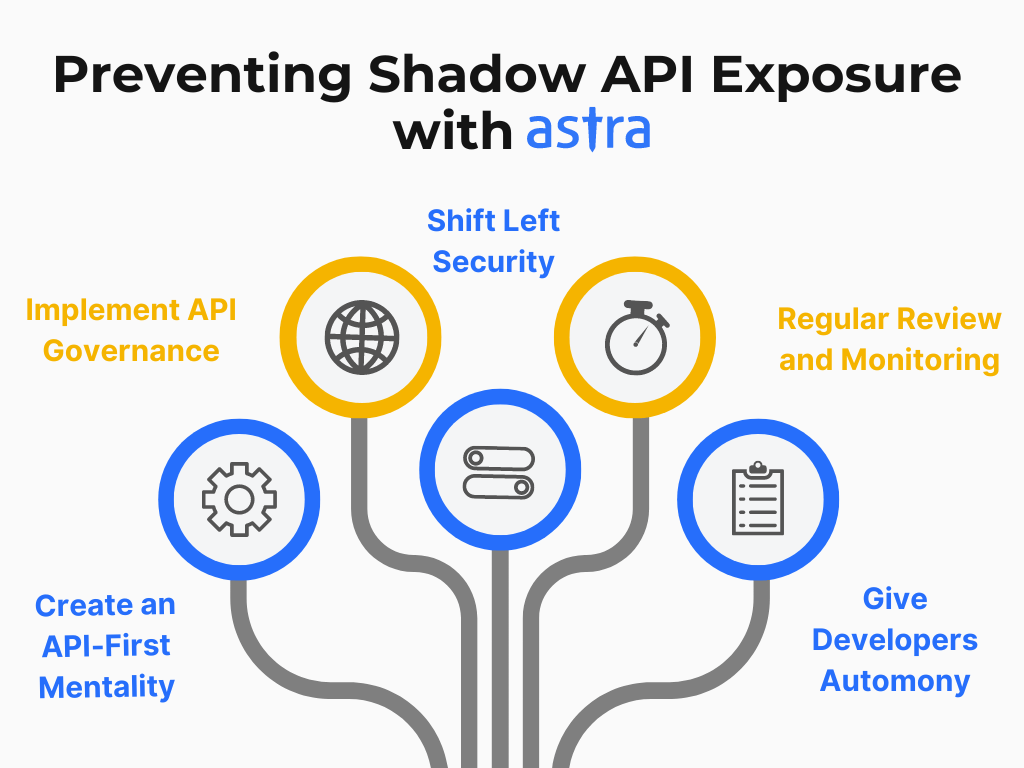
Around 67% of Fortune 1000 employees use unapproved SaaS apps, which also gives rise to shadow API, and as per Salt Security, over 68% of organizations were not aware they had shadow APIs. But so what?
This is where IBM found that shadow data was involved in 35% of breaches, which pushes up your costs by ~16%. That’s what.
MFA Fatigue
Multi-factor authentication is still your best defense, but attackers, too, have adapted. With nearly 50% of security incidents in Q1 2024 involving MFA weaknesses, and most of them involved users simply tapping “approve” on a push notification they didn’t expect, because the 47th prompt at 2 a.m. wears anyone down. This human-error element means that attackers are no longer breaking MFA, but going around it.
What Systems are Included in Remote Work Pentesting Scope?
When you scope a remote pentesting engagement, the list of systems to include is longer than most people expect:
- VPN gateways and SSL VPN appliances: the boxes that let remote workers tunnel into your network (Ivanti Connect Secure, Fortinet FortiGate, Cisco AnyConnect, Palo Alto GlobalProtect, SonicWall SMA)
- Identity and SSO providers: Okta, Microsoft Entra ID (formerly Azure AD), Google Workspace, and Ping Identity, along with the login protocols they use (SAML, OIDC, and OAuth)
- Remote desktop infrastructure, RDP gateways, Citrix Virtual Apps, VMware Horizon, Windows 365
- Zero Trust Network Access (ZTNA) enforcement points: the newer alternative to VPNs that grants access to one app at a time, instead of opening the whole network
- Cloud environments: AWS, Azure, and GCP account permissions, storage buckets, and network rules
- SaaS app configurations: Microsoft 365, Google Workspace, Slack, Salesforce (sharing settings, admin roles, connected third-party apps)
- Endpoint security: whether your EDR (“endpoint detection and response”, the modern replacement for antivirus) is actually running on every laptop
- Email security gateways and phishing defenses
- Split tunneling rules: configurations that decide which traffic goes through your VPN and which goes straight to the internet
What you can do, as per Penetration Testing Execution Standard (PTES) (an open framework most reputable testers follow), is formally document all of this in a “pre-engagement” document before any testing starts. It’s boring paperwork, but it saves your weekend.
Astra’s Pentest as a Service (PTaaS) bakes retesting into every engagement, and our methodology blends automated scans with manual techniques, enabling you to remediate real-world vulnerabilities faster.
Common Attack Paths in Remote Work Infrastructure
Even when attackers freestyle, they follow well-worn playbooks. Below are 4 paths that show up most often in remote-work breaches, and the ones your pentest ought to try to probe.
Path 1: Exploit the VPN, Then Spread
Attackers look for unpatched VPN appliances here. They exploit it and land inside your internal network. Once inside, they can travel across any machine that uses the same remote tools your IT team uses (RDP, SMB, SSH). In case you missed it, this is the same path LockBit ransomware affiliates took when they exploited “Citrix Bleed” (CVE-2023-4966) to breach Boeing, ICBC, and DP World around late 2023.
Path 2: Steal credentials, Log in Through SSO
Besides phishing, attackers can just buy credentials from an infostealer dump on a criminal forum. Using this, they sign into your SSO portal just like any other employee. CrowdStrike reports that valid account abuse drove 35% of all cloud incidents in 2025, making it the single most common cloud intrusion technique.
Path 3: Compromise the laptop, Pivot to the Cloud
Once the malware sits inside a remote worker’s device, they have access to the session cookies the browser stores for every logged-in SaaS app, and can use them to impersonate the user without ever typing a password and/or triggering any MFA prompt. Yeah, MFA isn’t the last stop as you thought. MFAs couldn’t protect over 84% of the SaaS incident responses they handled.
Path 4: Brute-force RDP, Deploy Ransomware
Sophos found that 90% of cyberattacks they responded to in 2023 involved abuse of the Remote Desktop Protocol. With over 3.5 million RDP ports exposed to the public internet, this remains the easiest path to a ransomware payday.
Remote Access Security Testing Methodology (step-by-step)
No one may ask you to run the tests yourself, but knowing what a good methodology looks like helps you evaluate remote pentesting vendors when you look for one. Below is a rigorous layman-styled remote pentest process divided into 4 phases.
Phase 1: Scope and Reconnaissance
The tester sits down with you, defines exactly what’s in scope, and then goes hunting for everything about your organization that’s publicly visible. Domain names, exposed servers, employee email patterns, VPN portal URLs, etc., basically anything and everything a real attacker would find, mostly by googling for just 20 minutes.
Phase 2: Vulnerability Discovery
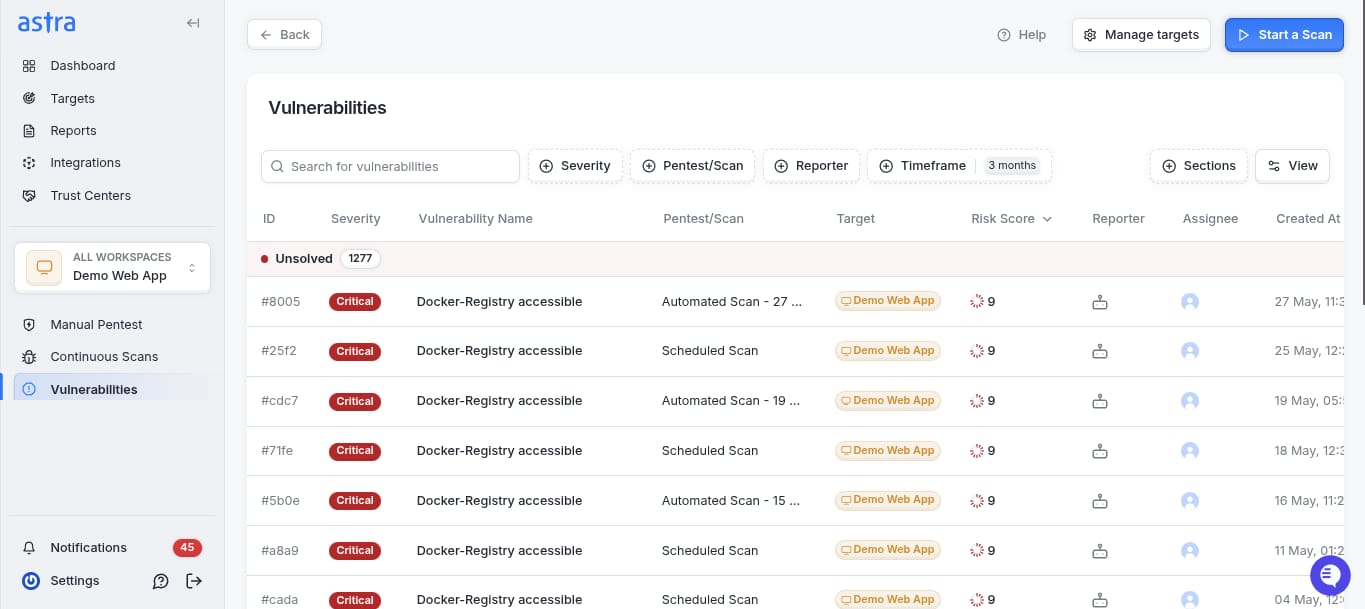
The tester scans your in-scope systems for known weaknesses. They cross-reference what they find against the CISA Known Exploited Vulnerabilities (KEV) catalog, a list of the vulnerabilities actively exploited by attackers maintained by the US government. The KEV catalog added 245 new vulnerabilities in 2025 alone. If your VPN firmware appears on it and you haven’t patched, that’s the finding that goes in red.
Phase 3: Exploitation
Here’s where a good pentester earns its fee, or rather, the red team. The tester actually tries to break in using the same techniques a real attacker would; password spraying, credential stuffing, VPN exploits, MFA bypass attempts, session hijacking, etc.. Once inside, they try to move laterally, escalate privileges, and exfiltrate (fake) data, just to show you the extent of damage an attacker could cause.
Phase 4: Report and Retest
This involves developing a document that lists every finding (ranked by its severity) how it was exploited, and exactly how to fix it.
A good report will always map the findings to compliance requirements, such as the PCI DSS Requirement 8 (authentication), ISO 27001 Annex A 6.7 (remote working controls), HIPAA §164.312(e) (transmission security), etc. And post repairs, the tester attacks again to verify whether the fix works or not.
Testing VPNs, Zero Trust access, and Remote Authentication Systems
Amongst edge devices, VPN appliances were the most targeted category in 2024-2025, with the numbers painting an alarming picture. So to help you understand what your pentester should be checking for, below we’ve provided a quick tour of the CVEs (“Common Vulnerabilities and Exposures” – standardized IDs for security bugs) that sort of transformed this landscape.
Ivanti Connect Secure produced a cascade of zero-day exploits that allowed unauthenticated remote code execution across 28,000+ exposed instances by chaining CVE-2024-21887 (CVSS 9.1) with CVE-2023-46805. The severity was such that it even breached CISA’s own systems. This was followed by CVE-2025-0282 and CVE-2025-22457. The latter was initially misclassified as low-risk, but then a China-linked group weaponized it with custom backdoors, highlighting its true severity.
Next, Fortinet’s FortiGate suffered from a pre-authentication flaw (CVE-2023-27997, “XORtigate” (CVSS 9.2)) that bypassed MFA entirely. Months after the patch was shipped, Bishop Fox found that 69% of the 490,000 exposed FortiGate SSL VPN interfaces were still unpatched.
Thinking of these as mild one-off cases? Palo Alto’s GlobalProtect was hit with a perfect 10/10 breach that granted root access without authentication (CVE-2024-3400 (CVSS 10.0)), and ransomware groups hacked into SonicWall‘s CVE-2024-53704 (CVSS 9.8) when barely days had passed of its POC going public.
According to Zscaler’s 2025 VPN Risk Report, VPN-related CVEs increased by 82.5% between 2020 and 2024, and 92% of surveyed organizations fear that VPN vulnerabilities will lead to a ransomware incident.
What about Zero Trust? If you’re migrating toward it, 63% of organizations have at least partially adopted Zero Trust per Gartner; your pentest should evaluate whether your implementation actually lives up to the name.
The core idea behind NIST SP 800-207, Zero Trust Architecture, is “never trust, always verify”: every request is checked, every session is re-evaluated, and no one gets implicit network access just because they’re already inside. In practice, many Zero Trust rollouts have gaps. That’s what the testing is for.
On the authentication front, your tester ought to try MFA bypass techniques, including “push fatigue” (bombarding a user until they accept) and “adversary-in-the-middle” attacks, where a fake login page sits between you and the real one and captures your session cookie in real time.
Endpoint and Device Security Testing for Remote Employees
The laptop your employee uses at home is where remote work security is won or lost. Microsoft’s recent report found that over 90% of ransomware attacks that reached the encryption stage originated on unmanaged devices.
When you’re evaluating endpoint coverage in your remote pentest, here are the questions to ask:
- Is EDR actually running on every device? Not “was it installed 6 months ago”, is it running right now, reporting back, and up to date?
- What about BYOD? Over 80% of organizations permit personal devices for work, but only 39% enforce formal Mobile Device Management (MDM). If an employee uses a personal MacBook to check corporate email, is that MacBook meeting your security baseline? How would you know?
- Are device posture checks enforced? A “posture check” verifies that a device is patched, encrypted, and running EDR before letting it connect. Many organizations buy tools that do this, but never turn the enforcement on, so non-compliant devices connect anyway.
- What happens when a device is lost or the employee leaves? Can you remote-wipe? Revoke tokens? Kill active sessions?
If these questions make you wince, that’s the exact feedback your remote pentest is designed to surface, that too in writing, ranked by severity, with remediation steps.
Cloud and SaaS Exposure in Remote Work Environments
Your cloud accounts and SaaS apps are where your data actually lives now and increasingly, where breaches happen. IBM found that 45% of data breaches now occur in cloud environments, with CrowdStrike observing that cloud-conscious intrusions rose 37% year-over-year in 2025.
The single biggest cause? Misconfiguration. Either someone set permissions incorrectly, left a storage bucket public, or granted an app more access than it needed. Cloud Security Alliance ranked misconfiguration the #1 cloud security threat, with 43% of enterprises failing a cloud security audit in the past year. Failing this means you’re 10x more likely to experience a breach.
SaaS makes things worse (SaaS breaches surged 300% year-over-year between 2023 and 2024, with time to full compromise condensing down to 9 minutes) because of OAuth grants. Every time you click “Sign in with Google” or approve a third-party app to read your calendar, you’re creating an OAuth grant — a persistent permission that works even if you change your password.
An average enterprise has over 5,000 active OAuth grants floating around, with security teams aware of <10% of them. A good remote pentesting vendor here has multiple duties:
- Audit cloud permission policies
- Check storage buckets for public exposure
- Enumerate every OAuth grant that connects your SaaS tenants to third parties
- Test for cross-account misconfigurations that trivialize lateral movement
Remote Pentesting vs Traditional Network Pentesting
Before you spend a budget line on this, here’s an honest comparison because some of what you already do may overlap, but some of it definitely doesn’t.
| Dimension | Traditional network pentest | Remote pentesting |
|---|---|---|
| Primary target | Internal network, servers, network devices | VPNs, SSO, cloud, SaaS, endpoints |
| Tester position | On-site or plugged into internal network | Over the internet, as an external attacker would be |
| What defines the perimeter | Firewall | Identity (who is logging in, from where, on what device) |
| Key attack vectors | Network pivoting, local exploits | Credential abuse, VPN exploits, OAuth token theft, phishing |
| Endpoint scope | Managed corporate devices | Managed + BYOD + unmanaged devices |
| Cloud/SaaS coverage | Usually minimal | Central focus |
| Compliance mapping | PCI DSS Req 11.3, SOC 2 | SOC 2, ISO 27001 A.6.7, HIPAA §164.312, PCI DSS Req 4/8 |
| Typical cadence | Annual | Continuous or quarterly |
In Other Words…
Traditional pentests evaluate what happens after an attacker is inside, while Remote pentests evaluate how, why, when, and where an attacker can get inside in the first place, via the same doors your employees use every day.
If your workforce is more than 20% remote, you almost certainly need both, and if you’ve had to patch a VPN or SSO portal this last year, you need a remote pentest ASAP!
Secondly, cadence matters too. Verizon’s 2025 DBIR found that the median time between a new CVE being published and its mass exploitation of edge devices is now less than one full day. An annual pentest leaves you exposed for up to 364 days, so it doesn’t make any sense.
That’s where the Pentest as a Service models come in, and they’re becoming increasingly popular because they provide continuous testing rather than a once-a-year snapshot, all at a reasonable price.
How to Prepare for a Remote Work Pentest?
One piece of advice before we dive in, the prep you do here in the last 2 weeks before kickoff largely influences the value you get out of the engagement.
Write Down Every Remote Access Pathway
List your VPN concentrators (make, model, firmware version), your identity providers, your cloud tenants, your SaaS apps with corporate data, and your remote desktop gateways. If you can’t list them, that’s your first finding. NIST SP 800-46 Rev. 2 provides a complete taxonomy you can use as a starting point for a checklist.
Clearly Lay Down the Rules of Engagement
Testing a production VPN concentrator is not risk-free. Make sure you agree in writing on testing windows, credential attack rate limits, a POC for when criticalities are found mid-test, and the social engineering scope.
Give your Tester Context, it’ll Save you Days
Network diagrams, identity provider configurations, conditional access policies, and cloud permission policies. The more context you provide upfront, the less time your tester spends on reconnaissance and the more they spend actually finding vulnerabilities.
Decide Whether to Tell Your SOC
Some organizations brief their security operations team that testing is happening (reduces false panic). Others don’t, so they can evaluate detection and response capabilities at the same time. Both are valid, given you know your teams and their triggers well enough.
Know Your Compliance Controls
The tester needs to be aware if you’re certifying against SOC 2, ISO 27001, HIPAA, or PCI DSS. They’ll map findings cleanly to audit controls. Trust us, this is much more useful than the generic CVSS scores when you’re in front of an auditor.
Common Vulnerabilities Found in Remote Work Setups
After hundreds of remote pentesting engagements across the industry, patterns in the findings begin to emerge. Seeking a head start on remediation, things you could fix this week without waiting for a pentest, below we summarize where you begin:
- Outdated VPN firmware. Verizon found only 54% of edge device vulnerabilities get fully remediated, with a median remediation time of 32 days. If you do nothing else after reading this article, check your VPN firmware version against the CISA KEV catalog today.
- Missing or weak MFA. 99.9% of compromised accounts lacked MFA, and even where MFA is turned on, many organizations haven’t moved to phishing-resistant methods like hardware keys or FIDO2/WebAuthn (modern, cryptographic authentication that can’t be intercepted by fake login pages).
- Excessive OAuth grants. Long-lived tokens granting SaaS apps read/write access to corporate email, abandoned integrations from former employees, approvals granted three years ago and never reviewed.
- Split tunneling leaks. Corporate traffic routing through unmonitored home networks because someone misconfigured a VPN rule.
- Device posture checks are not enforced. The policy exists. The enforcement doesn’t.
- Exposed RDP ports. Still, 3.5 million of them are on the public internet. Still being brute-forced every day.
- Local admin privileges on remote workstations. Making credential harvesting and persistence far easier than it should be.
Remote Work Pentesting Checklist for Security Teams
Save this section. Use it while defining the scope of an engagement or evaluating a remote pentesting vendor’s proposal.
VPN and Remote Access Gateway Testing
- Verify VPN firmware is current and not in the CISA KEV catalog
- Test for authentication bypass, command injection, and buffer overflow
- Assess SSL/TLS cipher and protocol strength
- Validate split tunneling rules and DNS leak prevention
- Confirm session timeout and forced re-authentication
Identity and Authentication
- Password spray and credential stuffing against SSO portals
- MFA bypass testing (push fatigue, adversary-in-the-middle, token replay)
- Conditional access policy validation (device, location, risk)
- Account lockout and brute-force protections
- Credential reuse checks against leaked password databases
Endpoint and Device
- EDR deployment and health verification on managed + BYOD
- Device posture enforcement test (can a non-compliant device connect?)
- Disk encryption, screen lock, local admin restrictions
- Cached credentials and token persistence after VPN disconnect
Cloud and SaaS
- IAM policies audited for least privilege (AWS/Azure/GCP)
- OAuth grants and third-party SaaS integrations are enumerated
- Storage bucket permissions checked for public exposure
- Security group and network segmentation rules validated
- SaaS admin configurations (sharing, external collab) reviewed
Network and Lateral Movement
- External scan for exposed RDP, SSH, and management interfaces
- Segmentation between remote access zones and sensitive systems
- Simulated lateral movement from a compromised remote endpoint
- Logging and alerting on anomalous remote access patterns
Compliance and Reporting
- Findings mapped to SOC 2 / ISO 27001 / HIPAA / PCI DSS controls
- Audit log retention meets regulatory requirements
- Remediation steps documented with severity and business impact
- Retest scheduled to verify fixes
How can Astra Security Help?
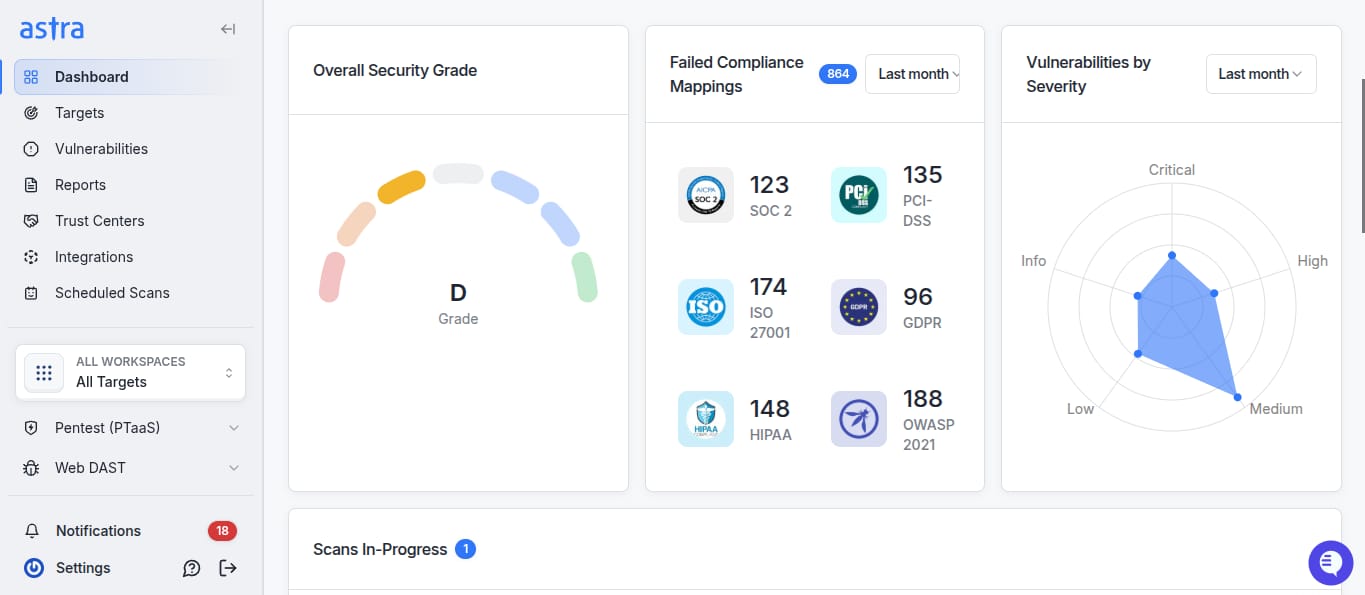
Astra’s cloud-native platform enables fully remote penetration testing with no on-site visits. Certified pentesters collaborate via Slack/MS Teams while the autonomous Attack AI engine continuously runs 15,000+ test cases, detecting vulnerabilities as code ships across distributed teams.
Remote teams get instant visibility without scheduled audits. Autonomous scanning adapts to your release cycle with daily/weekly/monthly scans, and CI/CD integrations (GitHub, GitLab, Jenkins) trigger automated security testing alongside development workflows.
Key Features:
- Fully autonomous pentesting & vulnerability scanning, no on-site pentesting required
- Real-time collaboration with certified experts via Slack/MS Teams
- CI/CD integrations automate security testing in remote workflows
- Attack AI continuously runs 15,000+ test cases without manual intervention
- AI-assisted remediation speeds up fixes for distributed teams
- Multi-region cloud support (AWS, GCP, Azure) for global infrastructure
If annual feels slow and continuous feels expensive: Astra’s PTaaS is worth a look.
Final Thoughts
Remote penetration testing isn’t a luxury or a nice-to-have anymore. It’s the test that matches the way your workforce actually works and the way attackers actually attack. VPN exploits are up 8x. Credential-driven intrusions are the new normal.
Cloud and SaaS breaches are accelerating at double-digit rates year over year. And the tools most organizations rely on to catch these (perimeter firewalls and annual network pentests) weren’t built for any of it.
The good news: you don’t have to solve it all at once. Start by answering three questions:
- Do you know every system your remote employees use to access corporate data?
- Do you know the current patch status for each of them?
- Do you know what an attacker could reach if a single employee’s laptop got compromised tomorrow?
If any of those answers is “not really,” that’s your starting point, and a remote pentest is the fastest way to turn those unknowns into a written, actionable plan.
FAQs
Can we do remote pentesting without disrupting production?
Yes. A professional remote pentest is designed to be non-disruptive. Pre-engagement planning defines safe testing windows, credential attack rate limits, and which systems are off-limits (like live payment processing). The tester simulates attacks without causing actual damage; they prove they could exfiltrate data rather than actually doing it.
What’s the typical cost of a remote pentest?
It varies by scope. A focused VPN + SSO assessment might run $8K–$15K. A comprehensive remote work pentest covering VPN, cloud, SaaS, endpoints, and lateral movement typically ranges $25K–$50K+. Continuous PTaaS models (monthly or quarterly) offer better ROI than annual tests.