
Key Takeaways:
- What: A trust center is a centralized, self-service hub where prospects, customers, and auditors can securely access your security, compliance, and privacy documentation.
- Why: Building a trust center reduces repetitive security questionnaire cycles, accelerates sales, and builds confidence through verified transparency.
- How: By integrating with vulnerability scanners, compliance tools, and evidence workflows to keep reports continuously updated and access-controlled.
- Outcome: Fewer manual processes, shorter deal cycles, and stronger buyer assurance rooted in real-time security visibility.
In today’s world, software buyers rarely proceed with a vendor relationship without a full understanding of the vendor’s security practices before entering into any type of arrangement. They require certifications, compliance reports, and data handling procedures in advance; consequently, adding security documentation requests, compliance attestation requests, and audit report requests are never-ending burdens on sales teams.
Building a trust center addresses these challenges by offering a single, easily accessible repository for all security and compliance details. They are a self-service hub for prospects and customers to access SOC 2 reports, penetration test results, security policies, compliance certifications, and other materials without needing to wait for email replies or scheduled calls.
What is a Trust Center?
A trust center is a dedicated web portal that contains all documentation related to security, compliance, and privacy in one place. A single source of truth for prospects, customers, and auditors seeking to validate the security posture of the organization.
The main goal of building a trust center is to reduce information asymmetry by making security documentation accessible while protecting sensitive data and reports through authentication and access controls.
Why Building a Trust Center Matters in 2025
The movement towards trust centers is the result of some fundamental changes in buyer behavior and regulations. Recent B2B buyers review security documentation prior to a sales engagement, i.e., private trust areas within organizations show improvement in sales cycles, and a reduction in security questionnaire volumes.
Buyers increasingly expect verification up front, which is why many organizations now surface continuous scan results, compliance dashboards, and up-to-date attestations alongside traditional static reports. Building a trust center also reinforces security and compliance transparency, improving buyer confidence.
Different Trust Center Models
There are three models of trust centers that organizations have implemented.
- Public trust centers offer low-level certifications and no detailed security overviews, appropriate for companies focused on broader market awareness.
- Companies managing sensitive compliance documentation can use gated trust centers that ask visitors to sign NDAs or may even have to verify an identity before giving access to detailed reports.
- Hybrid trust centers merge the accessibility of public models with the control of gated systems, offering public visibility for general signals while restricting access to sensitive docs, enabling organizations to balance transparency with security.
Pro Tip: In practice, this often means showing certificates and high-level metrics publicly while keeping full audit reports and pentest attachments accessible only after verification.
Buyers expect transparency before they buy. Make your security posture part of the first impression.

How to Build a Comprehensive Trust Center
The building steps of a trust center are often defined by strategic thinking on the content, technology, and user experience levels.
Step 1: Define Your Trust Center Building Strategy & Objectives
Determine what you are trying to solve for, whether that be the number of security questionnaires you receive, sales cycles, or compliance needs. Define the target audience, whether prospects, existing customers, auditors, or partners, and clearly state success metrics, such as reduced manual documentation requests or improved deal velocity.
Map which compliance frameworks you need to support, and how transparent you need to be, as it fits with your business model and trust center strategy, considering whether you’ll show continuous evidence feeds or point-in-time attestations.
Step 2: Identify Stakeholders and Gather Requirements
Combine teams from security, compliance, legal, sales, and customer success.
- Access controls are also defined by security teams, along with technical documentation.
- What can you reveal to the public and what requires NDAs is determined by the Legal teams.
- Sales teams help pinpoint the industry requests and pain points most frequently heard from customers.
Conduct interviews with recent prospects on what security information they needed during the evaluation and what would make the experience better, especially with trust center automation.
Step 3: Gather and Organize Your Content
You can keep the SOC 2 report, ISO certifications, penetration test summary, and security policies as part of the security artifacts, automating what you can so status and expiry dates stay current.
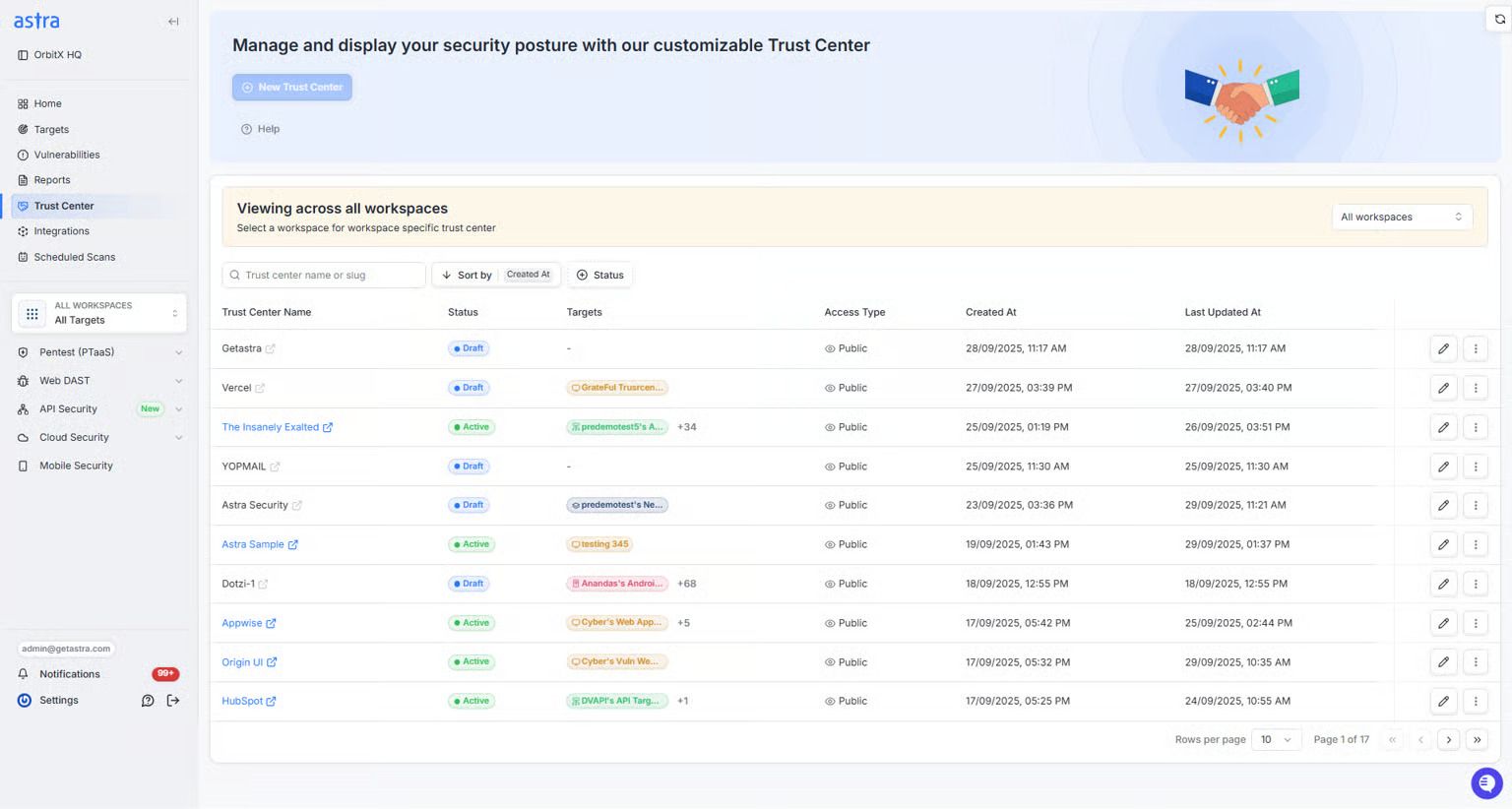
Link live scan outputs and remediation status to the trust center, where feasible, so reviewers see active efforts rather than stale PDFs. Use API credentials and rotate them, restrict endpoints by IP where required, and log all access for traceability.
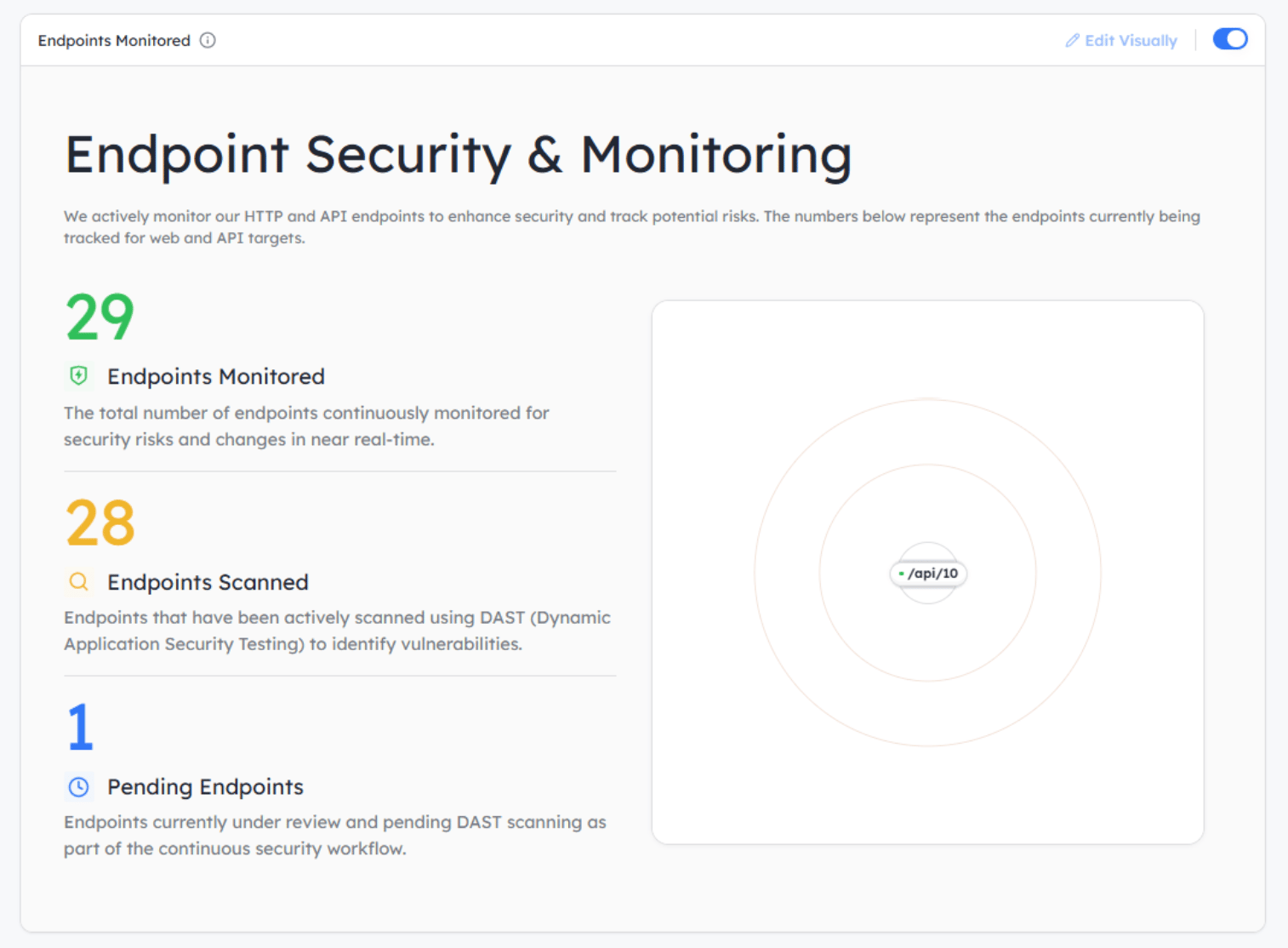
Step 4: Choose Your Platform Approach
Decide on creating a bespoke trust center, a purpose-built solution, or an existing site. Purpose-built options often include templating, branding controls, and integrations that cut setup time. Look for staging workflows that let teams draft, preview, and publish updates safely, and for the ability to segregate public content from gated material.
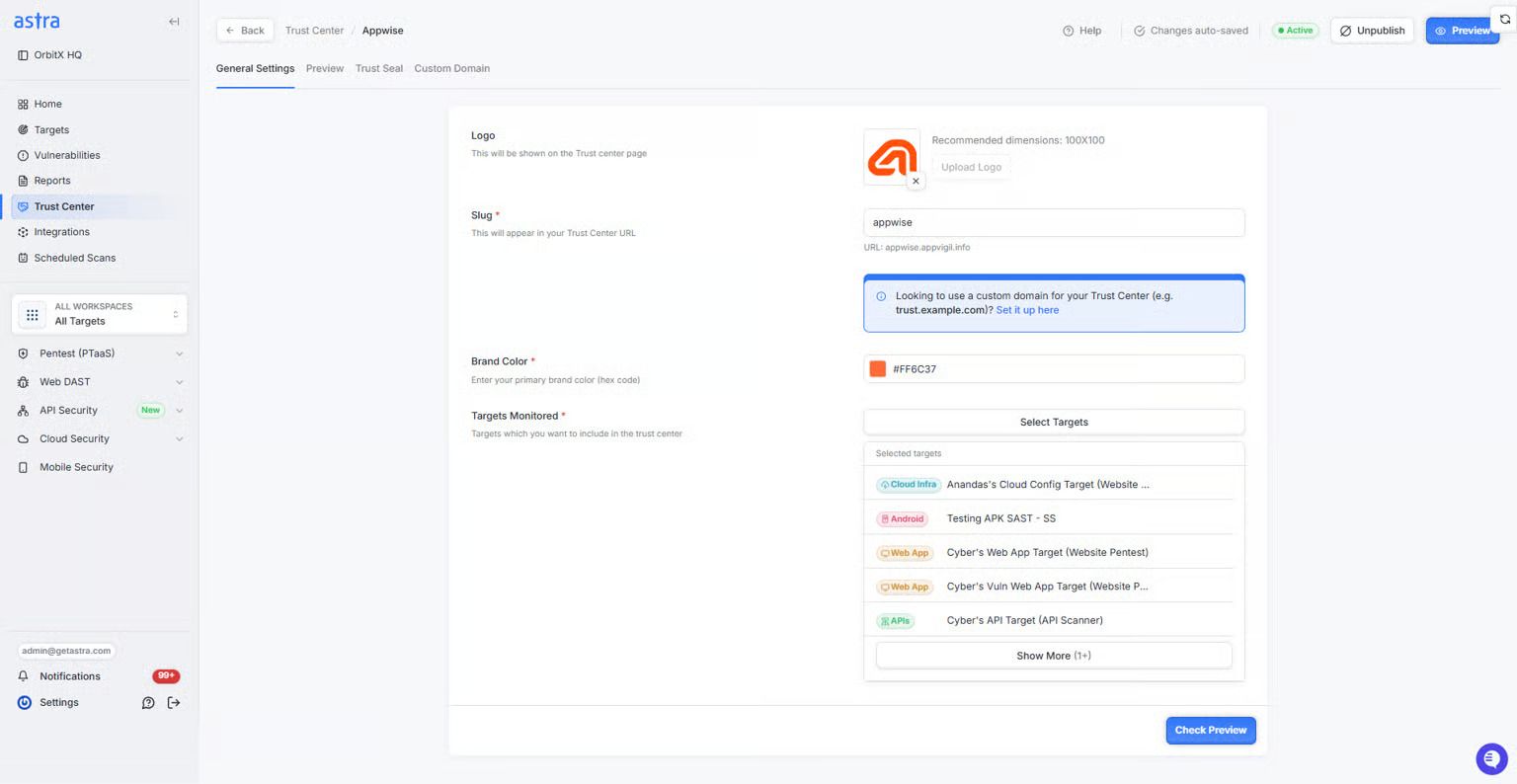
Specialized platform evaluates your hosting requirements, your authentication mechanism, integration with your existing security stack, etc.
Step 5: Design the User Experience
Provide a clean information architecture so clients can quickly find documentation via search and filters, classifying content by compliance framework, document type, or visitor role. Make sure your layouts are mobile-responsive so they can be viewed on a variety of devices.
For gated flows, make the access path predictable and straightforward with progress indicators and clear expectations about approval times and required information.
From defining strategy to automating updates, building your Trust Center doesn’t have to be complex.
What to Show in Your Trust Center
What can actually be shown in your trust center depends on how regulated your industry is, how high a risk the industry is, and who your target customers are.
Public-Facing Content (No Authentication Required)
Show high-level security and compliance transparency that can create trust, but do not reveal an attack surface. Provide certificates of active compliance, such as SOC 2, ISO 27001, and GDPR Badges, with issuance dates. Add security overview documents explaining your encryption standards, infrastructure providers, backup process, etc.
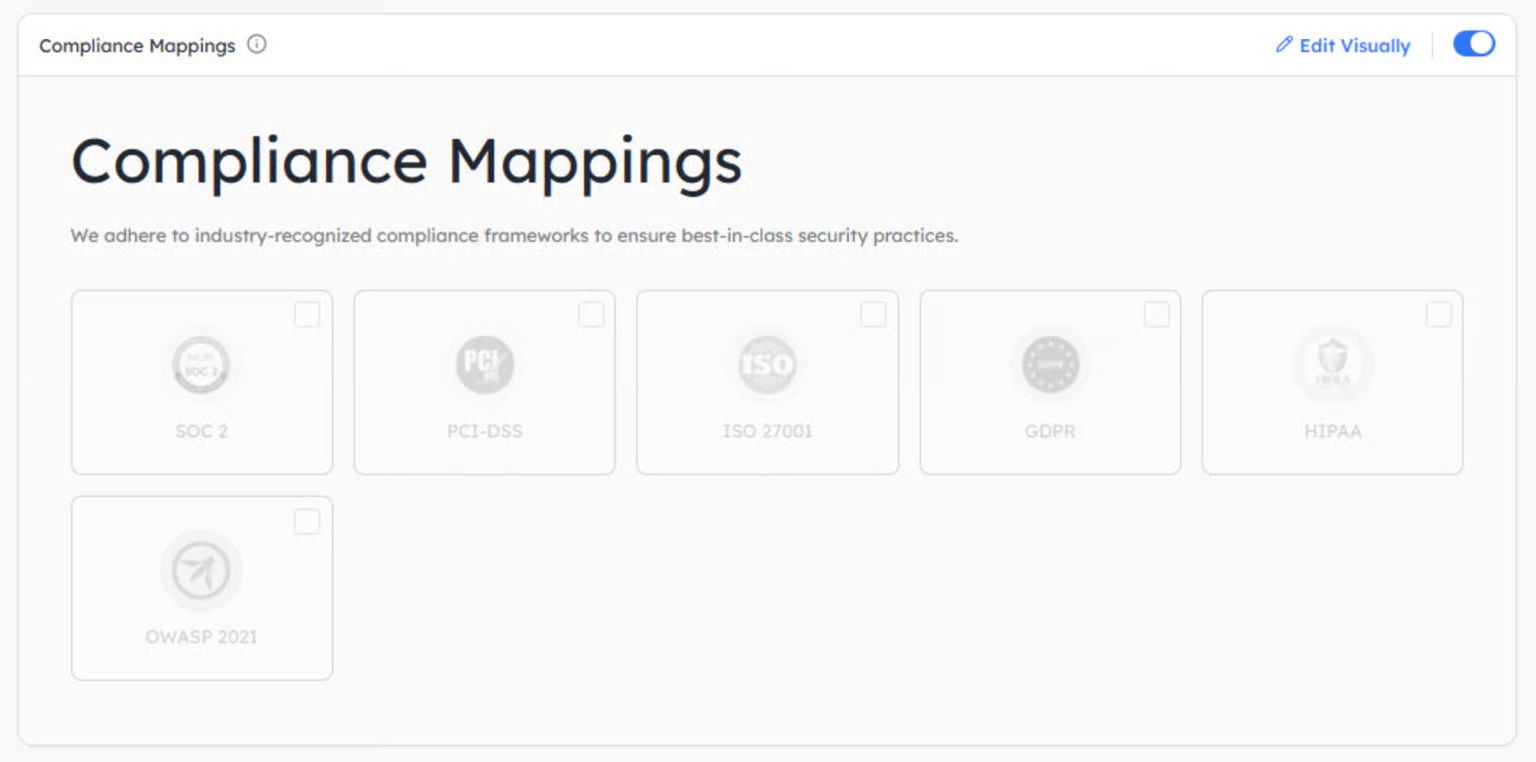
Create a list of subprocessors, including third-party vendors, along with their roles in processing the data. Provide your security team contact information and details on how to disclose vulnerabilities responsibly.
Gated Content (Requires Verification)
Controlled access to detailed audit reports and technical documents to avoid the loss of competitive intelligence. Require email verification of those who request access to data. Limit document circulation by sending time-bound access links valid only for 30-90 days. Add visible watermarks with the requester’s email and access time to all downloaded PDF files.
These are the most sensitive reports, which may be available only from approved corporate networks via IP allowlisting. Keep user identity, timestamp, and IP address logs for all document access for audit trails (IP allowlisting).
Dynamic and Real-Time Elements
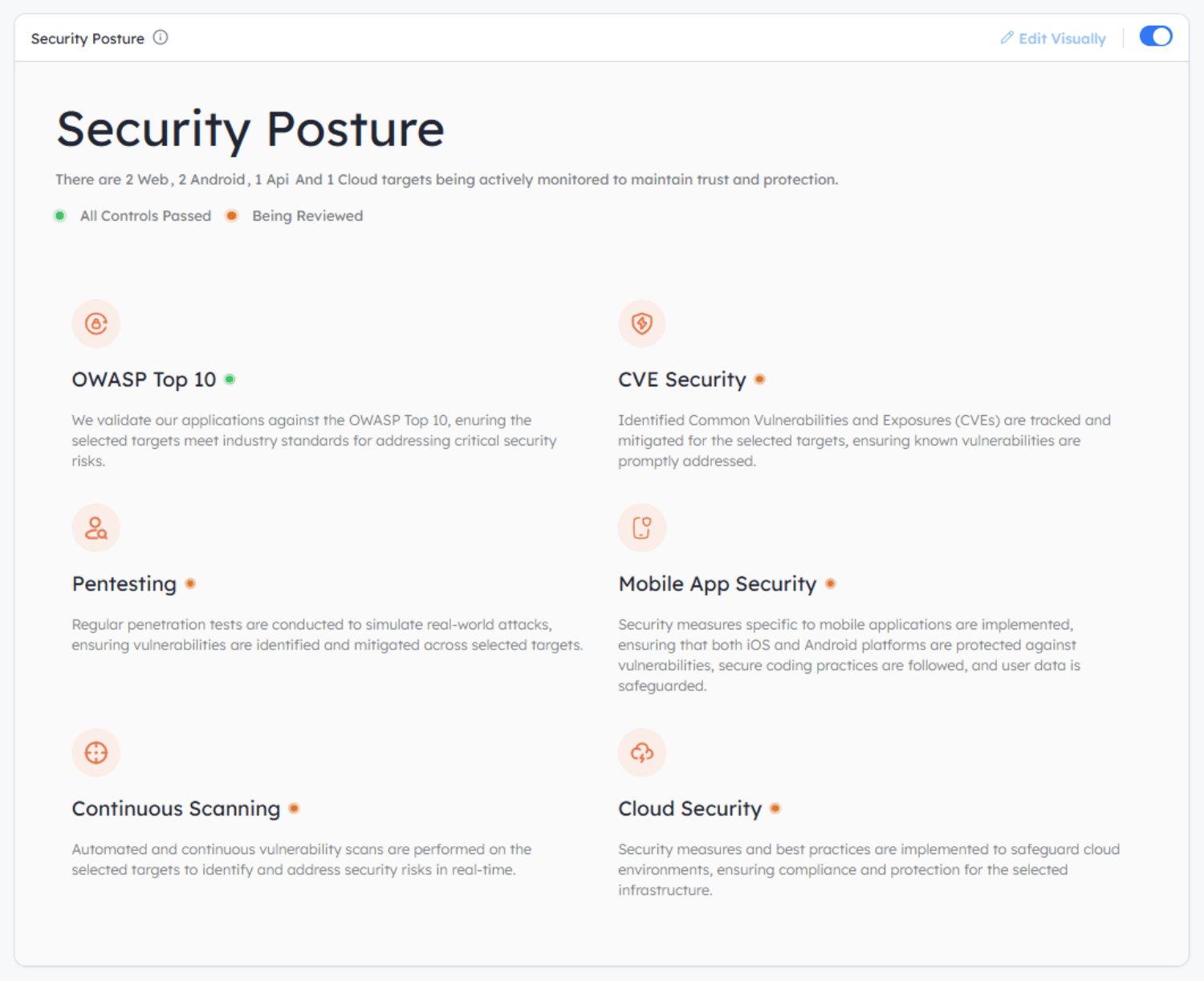
Show Trust Center automation in action with live data feeds. Embed system status dashboards, uptime percentage, and current incident status. Show data points on security metrics, such as mean time to patch vulnerabilities and the percentage of employees completing a security training. Display certifications, renewal dates, and next audit dates.
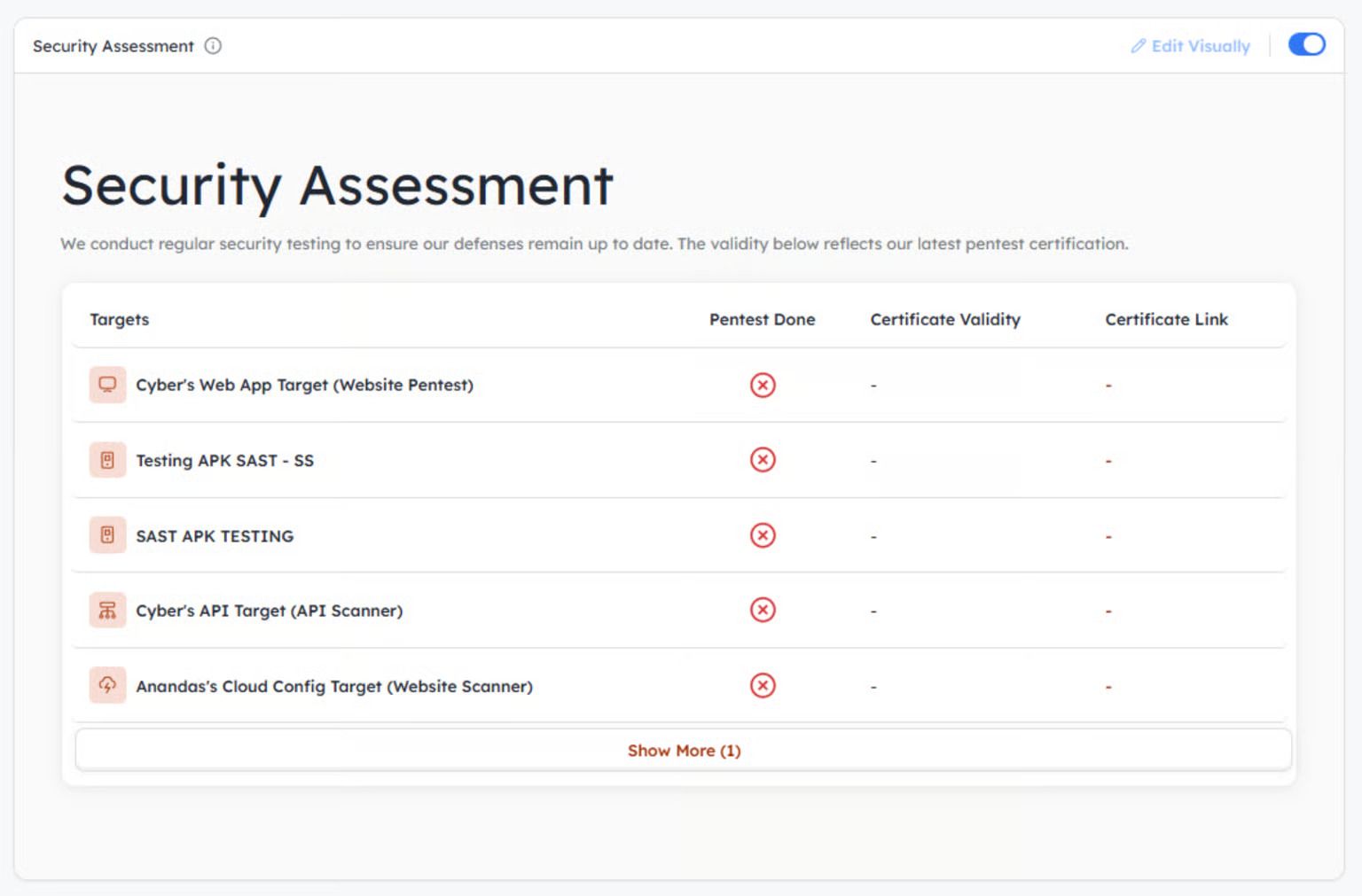
Summarize results from recent security assessments, including the remediation status of findings.
What NOT to Show in Your Trust Center
What you do not put in your trust center can be just as important as what you do. The main challenges in building a trust center often include maintaining data freshness, managing cross-department ownership, and aligning legal, sales, and security priorities.
Without proper automation and access controls, a trust center risks becoming outdated or non-compliant, and revealing specific information can also raise security vulnerabilities or legal liabilities.
Information That Should Never Be Public
Avoid publishing detailed network architecture diagrams that expose firewall settings, internal IP ranges, and segmentation approaches. Do not share full vulnerability scan results that include specific software versions and systems that are unpatched.
Avoid exposing information about your employees, even if they are not key members, such as names, roles, contact details, or organizational charts, that could be used in social engineering attacks.
Content That Requires Careful Gating
Exploit specifics should not leave the hands of verified enterprise customers under NDA. Deep incident post-mortems might show attackers where they can replicate the process. Risk assessment matrices with details of control weaknesses should have restricted access.
Details of your business continuity plans, failover procedures, and where people need to report in the event of an emergency should be kept internal.
Outdated or Stale Information
Having no trust center may be better than having expired certifications displayed or providing old security policies; this only affects credibility. Move or highlight documents older than 12 months. Automatically schedule reviews for content managed in your CMS to issue alerts 30 days before documents expire.
Have API integrations to pull the certification status automatically from the compliance platforms to ensure its validity in real-time.
Pro Tip: Outdated or Stale Information
Expired certificates or stale policies do more harm than good. If a document is older than 12 months, flag it or archive it. Automate reminders and integrate with compliance systems to pull certification status so the trust center reflects reality.
Best Practices for Building Trust Centers
Keep Content Current with Automated Integrations
Streamline updates by connecting systems with REST APIs and integrating directly with your trust center. To show compliance status in real-time, extract cert data from compliance platforms using their API endpoints. Have scheduled jobs that pull security metrics from your SIEM platform daily.
Implement Version Control and Audit Trails
Use Git or an equivalent system to version-control all trust center documents. Record all alterations along with commit messages stating who changed which content, and when. Log events that include document access information. Set up triggers for content tables on the database, which will automatically insert records in the change logs as soon as the original records are inserted/updated/deleted.
Use Time-Bound Access for Sensitive Documents
JWT payloads with embedded expiry timestamps should be used to create unique access tokens. Based on the sensitivity of documents, set the token to expire between 30 and 90 days. Use token validation with expiration middleware before serving protected content.
Enable Watermarking for Downloaded Gated Content
Stream dynamic watermarks at the server-side on PDFs before download. Add a footer or diagonal overlay that includes the requester’s email, access date, and unique tracking ID. Save watermark metadata in your database to link the document ID to the requester for further investigation in case of any incident.
Set Up Automated Notifications for Security Updates
When changing critical security information, put the event-driven notifications into the message queues configuration. Automatically notify opted-in users via email when new certifications are achieved or security assessments are completed. Push updates into the customer security portals using webhook subscriptions.
How does Astra Trust Center Help?
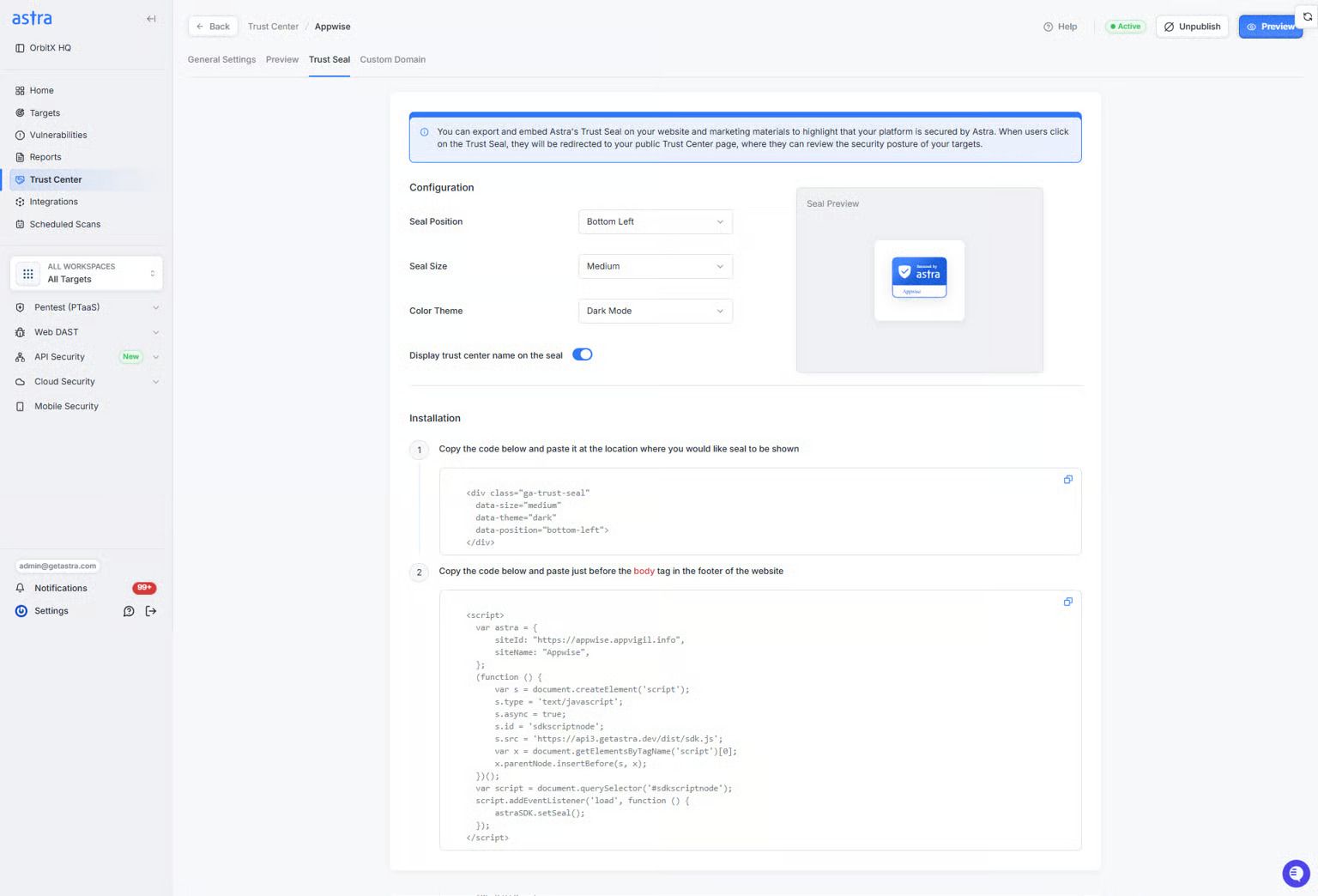
Astra Trust Center centralizes your security evidence, compliance artifacts, and assessment reports into a single, continuously validated source. Instead of static uploads, it integrates directly with vulnerability scanners and pentesting pipelines to keep every piece of documentation current.
This ensures your buyers and auditors always see verified, timestamped data, minimizing manual intervention and version drift.
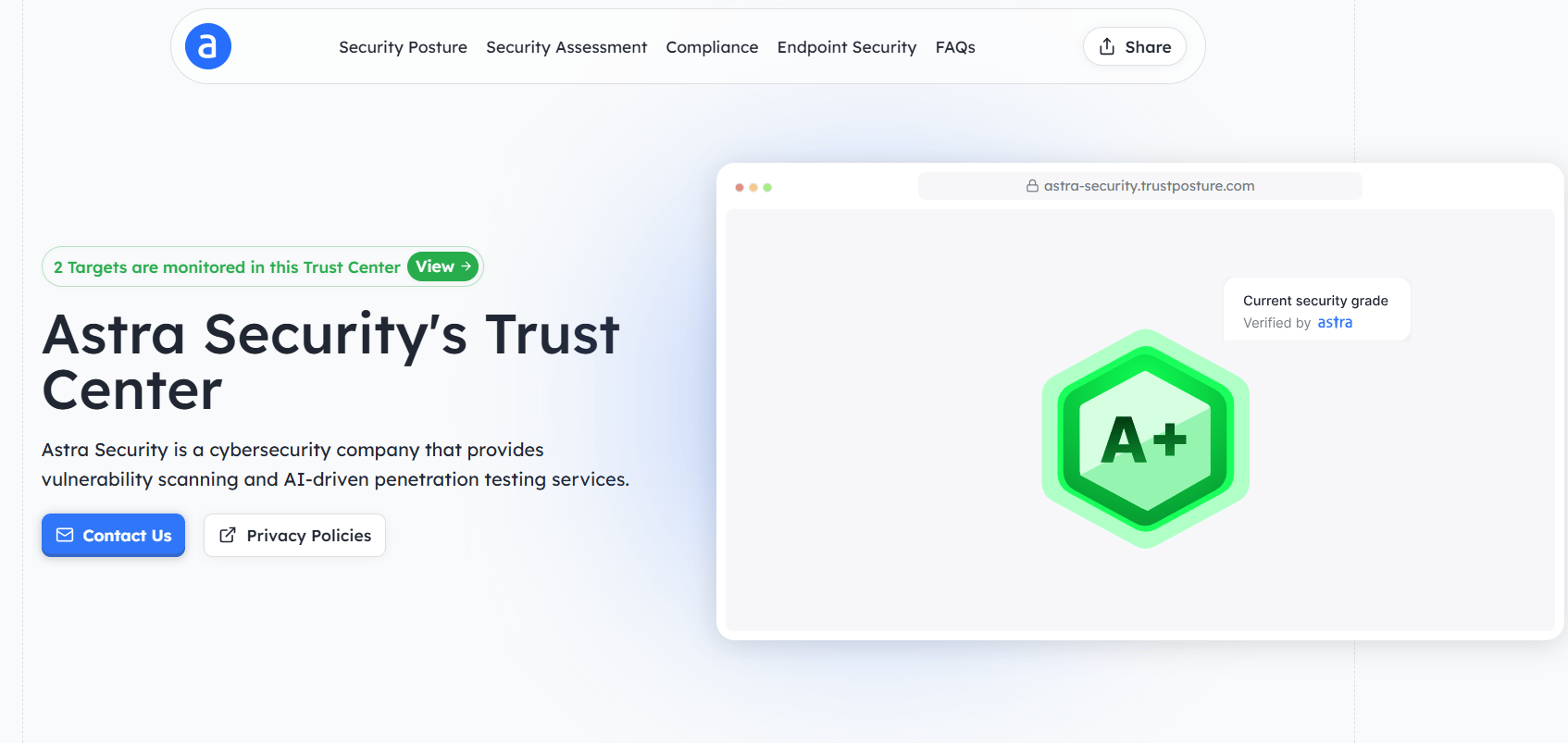
The platform also supports granular access controls, enabling teams to define visibility rules by user type or data sensitivity. Whether you’re managing ISO, SOC 2, or GDPR evidence, each asset stays mapped to its respective framework for faster audits and reduced questionnaire cycles.
Key benefits of our Trust Center:
- Branded pages with custom domains for easy access
- Continuous synchronization with pentesting and compliance tools
- Dynamic evidence mapping across frameworks and controls
- Fine-grained access management for public and gated assets
- Reduced manual review effort and faster trust validation cycles
Simply put, when a new vulnerability scan identifies a resolved issue, the following Trust Center example automatically updates the corresponding control evidence, ensuring the compliance status reflects the most recent findings. This eliminates the lag between remediation and reporting, giving stakeholders real-time visibility into your security posture.
Final Thoughts
For enterprises looking to sell to security-minded buyers, building a trust center has become a necessary part of the infrastructure. This lowers sales cycle friction along with security team workload and shows commitment to transparency. A well-organized content structure, access control, and automated integrations are required to keep your information up-to-date without manual effort.
Astra Security assists organizations in trust center setup and maintenance within its unified security compliance platform. From automated pentest reports to real-time compliance dashboards, our team ensures your trust center remains accurate, credible, and always up to date.
FAQs
What’s included in a Trust Center?
A Trust Center includes key security and compliance artifacts, such as SOC 2 and ISO certifications, penetration test summaries, privacy policies, and data-handling procedures. It may also feature live security dashboards, incident updates, and subprocessors lists, centralizing all evidence needed to validate your organization’s security posture.